
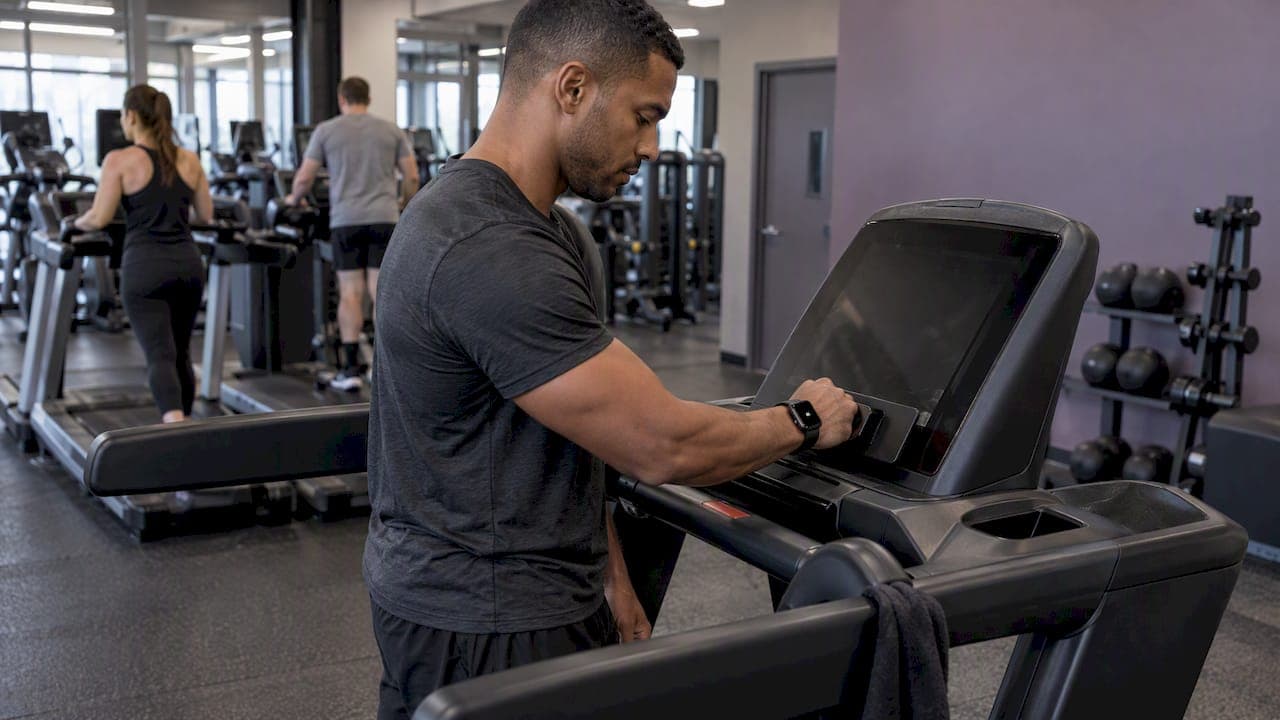
Apple Watch gym integration means two different things, and mixing them up is the most common mistake. For cardio machines, it is GymKit: tap the watch on a contactless reader and the treadmill and watch share data. For functional fitness classes, it is a heart rate feed from the watch into your gym's software, so coaches and athletes see effort live. GymKit does not do the second job, and a barbell class has no machine to tap.
This guide covers both. It is written for gym owners and coaches who have members showing up with Apple Watches and want to know what to set up, what to expect, and where the data stops being trustworthy.
TL;DR
- GymKit pairs an Apple Watch with compatible cardio machines (treadmills, ellipticals, bikes) through a contactless reader. It does not cover barbells, kettlebells or group classes.
- For class-based and functional fitness gyms, you need a way to bring watch heart rate into your gym software, either through a native integration or a hardware bridge.
- Apple Watch heart rate is solid at low to moderate effort and less reliable during high-intensity or complex lifting. A chest strap is the fallback for athletes who need clean data.
- Start with an opt-in pilot in one class, a screen the coach controls, and a clear rule for members without a watch.
Table of Contents
- Two kinds of Apple Watch gym integration
- How GymKit works, step by step
- Why GymKit does not solve the functional fitness problem
- Getting Apple Watch heart rate into a group class
- How accurate is Apple Watch in a gym setting?
- What members and coaches see in practice
- Perspective: where we think gyms go wrong
- A rollout plan for gym owners
- Where VO2WOD fits
- FAQ
- Sources
Two kinds of Apple Watch gym integration
It helps to separate the machine from the class.
Machine integration (GymKit). Apple's support guide says the watch can pair and sync with compatible cardio equipment such as treadmills, ellipticals and indoor bikes. Once paired, the watch and machine exchange heart rate, calories, speed and incline in real time. The brands that built it in include Life Fitness, Technogym and Peloton. Strength equipment is excluded, since a pulldown station has no digital interface to pair with.
Class integration. Here the watch is only a heart rate sensor. The goal is to get its numbers onto a gym TV, into the athlete's workout record, and into your reporting. That needs software on your side, because Apple does not hand a coach a leaderboard.
If you run a CrossFit-style box, a boutique studio or an S&C facility, the second kind is the one that matters. If you run a commercial floor with rows of cardio machines, you care about both.
How GymKit works, step by step
Members often get stuck here, so it is worth putting the steps on a card near the cardio area. According to Apple's guide:
- On the watch, make sure Detect Gym Equipment is turned on in the Workout settings.
- Start on the machine and look for the Apple rings logo on the console. That marks the contactless reader.
- Hold the watch within a few centimeters of the reader.
- Wait for the gentle tap and beep from the watch that confirms pairing.
- Work out. Heart rate, calories, speed and incline flow both ways.
The usual failure is expecting Bluetooth. GymKit uses NFC hardware on the console, so a member searching the Bluetooth menu will find nothing. Machines without the logo simply do not support it.
Since June 2026, there is a second route. Apple has extended GymKit to the iPhone, so a member can tap a phone on certified equipment and use AirPods Pro 3 as the heart rate source. Apple's own iPhone instructions describe the pairing in the Fitness app. That lowers the barrier for members without a watch, though it still only applies to certified cardio machines.
If you are upgrading front-desk hardware at the same time, it is worth understanding how payment processing for gyms works, since contactless readers on the floor and at the desk are often budgeted together.
Why GymKit does not solve the functional fitness problem
A functional fitness class is rowers, barbells, wall balls, burpees and a whiteboard. Very little of that has an NFC console. Even the machines that do, such as a bike or ski erg, rarely come from a GymKit-certified line.
There is a second gap: GymKit sends data between the watch and the machine. It does not send it to your coach's screen. Your members can have perfect pairing on a treadmill and you still have no class-wide view of effort.
Getting Apple Watch heart rate into a group class
There are three practical routes.
| Route | How it works | Best for | Watch-outs |
|---|---|---|---|
| Native integration in your gym software | The athlete connects the watch through the app, and heart rate appears in class | Gyms that want one system for scheduling, billing and effort data | Needs member opt-in and a short onboarding |
| Hardware bridge | A box in the gym receives the watch's broadcast heart rate and passes it on over Bluetooth or ANT+ | Studios with an existing leaderboard system | Bridge products add hardware and a separate vendor |
| Chest straps or armbands | The gym supplies or members bring a dedicated sensor | Athletes who want the cleanest numbers | Straps need to be handed out, cleaned and returned |
The bridge route exists because Apple Watch does not broadcast heart rate to other devices by default in a way a gym can use. Vendors in this category connect a watch's heart rate to studio leaderboards, and the same approach works with management platforms.
We have written more on the options in our guide to integrating wearables at your gym, including the 2 to 6 week rollout most gyms plan for. If your members use other devices, the same logic applies to Fitbit and Samsung Health.
How accurate is Apple Watch in a gym setting?
This is where owners should be honest with themselves and with members.
A study of Apple Watch Series 6 during resistance exercise tested heart rate accuracy at various intensities in 29 participants. A separate 2025 cross-sectional study found that the watch's validity drops at high exercise intensities and tested whether adding a Polar chest strap improves it. The practical reading: at moderate effort the watch is useful, but during heavy, fast or complex movements, where wrist position changes constantly, expect more noise.
We covered this trade-off in detail in chest strap or watch for athletes' heart rate. Our advice for coaches:
- Use watch data for trends and zones across a class, not for a precise number on a single heavy set.
- Offer a strap to athletes who care about accuracy, such as competitors or anyone training with a specific heart rate target.
- Do not use one reading to judge whether an athlete is "working hard enough". Look at the pattern across weeks.
Two settings that quietly break class data
Battery settings matter. In Low Power Mode, the option for fewer GPS and heart rate readings extends battery life on long endurance events but turns off workout alerts, splits and record-keeping. That makes it a poor choice for a performance class. Tell members to charge before class and leave the setting alone.
The second is a misunderstanding about VO2 max. Apple only counts certain outdoor workouts (walking, running and hiking) toward its cardio fitness estimate. Indoor gym sessions do not feed that number. If a member asks why their cardio fitness did not move after a month of box classes, that is the reason, not a lack of progress.
What members and coaches see in practice
When a watch is connected to class software, the useful outputs are simple:
- Live heart rate zones on a gym TV, with names shown only for athletes who opted in. Our post on displaying heart rate on a TV covers the opt-in and coach controls.
- A per-class effort summary saved to the athlete's history.
- Automatic scoring for the workout, so the coach is not typing numbers into a spreadsheet. See automatic workout scoring.
- A trend line over weeks, which is where retention conversations start.
For the coaching side, three effort metrics coaches can start using this week is a good starting list.
Perspective: where we think gyms go wrong
We build software for functional fitness gyms, and the pattern we see is consistent. Owners hear "Apple Watch integration" and assume it is a feature they switch on. In reality it is a small program: a decision about who sees data, a hardware plan, a member message and a coach habit.
The gyms that get value do three things. They start with one class, usually the busiest, so the first week of data is noisy but visible. They make participation optional, because a member who feels watched will drop out before one who feels invited. And they decide what the coach does with the number before the screen goes up, for example, using it to cue pacing rather than to call out athletes.

We also think owners should be skeptical of any pitch that treats a wrist reading as gospel. A watch is a convenient sensor, not a lab. That is why we support several wearables, including Garmin, Apple, Fitbit and Samsung, and why chest straps stay part of the plan for athletes who want precision. The value is in having live effort, scoring and history in the same place as your schedule and billing, so nobody re-enters data.
If you want the longer case for measuring a whole room, read our pieces on group heart rate training and proving return in 60 days.
— Marcus
A rollout plan for gym owners
Here is a sequence that keeps risk low.
Week 1: decide and audit
List the devices your members actually wear. A quick poll in your member app or at the whiteboard is enough. Check your cardio machines for the Apple rings logo. If you have none, you can skip GymKit and focus on class data.
Week 2: pick the data path
Choose between native integration, a bridge, or straps for the athletes who want them. Consider the total picture: hardware, member setup, coach training and who answers questions when a watch will not connect.
Weeks 3 and 4: pilot one class
Run it in your busiest class. Ask for opt-in, explain what is shown on the screen, and give coaches a one-line instruction for how to use it. Keep a note of connection failures and common causes, usually a watch not charged or the app not open.
Weeks 5 and 6: review and expand
Look at attendance and class feedback, not just heart rate. If members stayed engaged and coaches used the data, add classes. If not, change the coach habit before changing the technology.
Plan for members who do not have a watch
A 2024 survey reported by Fortune found that 79% of fitness tracker owners have at least one unused device at home, citing reasons such as losing motivation and charging. The same article notes that persistent tracking can lead some people to obsess over closing rings. Both are reasons to keep tracking optional and to offer a loaner strap or hardware, so the class never splits into those with a watch and those without.
Where VO2WOD fits
VO2WOD is management software built for functional fitness gyms. It brings live in-class heart rate, automatic workout scoring, memberships and recurring billing, class scheduling, QR or wristband check-in, a lead CRM, in-app messaging, a movement library and personal record tracking into one platform. Apple, Garmin, Fitbit and Samsung wearables connect to it, and for rooms that want dedicated equipment, Vo2hub group-fitness hardware is available.
If you are moving from another system, we handle data migration for free, include one month of complimentary service, and have a dedicated team to walk you through the switch. You can see how we compare with other software types on our alternatives page, or start at vo2wod.com. Check-in is part of the same system, which we describe in contactless check-in for functional fitness gyms.
FAQ
Can I connect my Apple Watch to gym equipment?
Yes, if the machine supports GymKit. Turn on Detect Gym Equipment in your watch's Workout settings, then hold the watch near the contactless reader marked with the Apple rings logo. A tap and beep confirm the pairing. Machines without the reader will not connect.
Does Apple Watch work with strength training and group classes?
The watch records heart rate and workouts on its own, but GymKit does not cover free weights or class formats. To show a watch's heart rate on a class screen, a gym needs software or a bridge that receives it. Accuracy is lower during high-intensity or complex lifting.
Why is my Apple Watch not pairing with the treadmill?
The most common reasons are an unsupported machine, Detect Gym Equipment being off, or holding the watch too far from the reader. Remember that GymKit uses NFC, not Bluetooth, so nothing will appear in a Bluetooth list. If the console has no Apple rings logo, it does not support the feature.
Does a gym workout improve my Apple Watch VO2 max estimate?
Not directly. Apple's support page says the cardio fitness estimate relies on outdoor walking, running and hiking. Indoor gym sessions do not feed it, so a flat number does not mean your training is not working.
Sources
- Use gym equipment with Apple Watch, Apple Support
- Use gym equipment in Fitness on iPhone, Apple Support
- Apple GymKit: What it is and how to use it, Pocket-lint
- iOS 27 health and fitness for developers, Sahha
- Fitness studio solutions, North Pole Engineering
- Accuracy of the Apple Watch Series 6 and the Whoop Band 3.0 during resistance exercises
- Apple Watch with a Polar chest strap across exercise intensities, 2025 study
- Use Low Power Mode on your Apple Watch, Apple Support
- Cardio fitness and VO2 max on Apple Watch, Apple Support
- Apple Watch and ring obsession, Fortune