
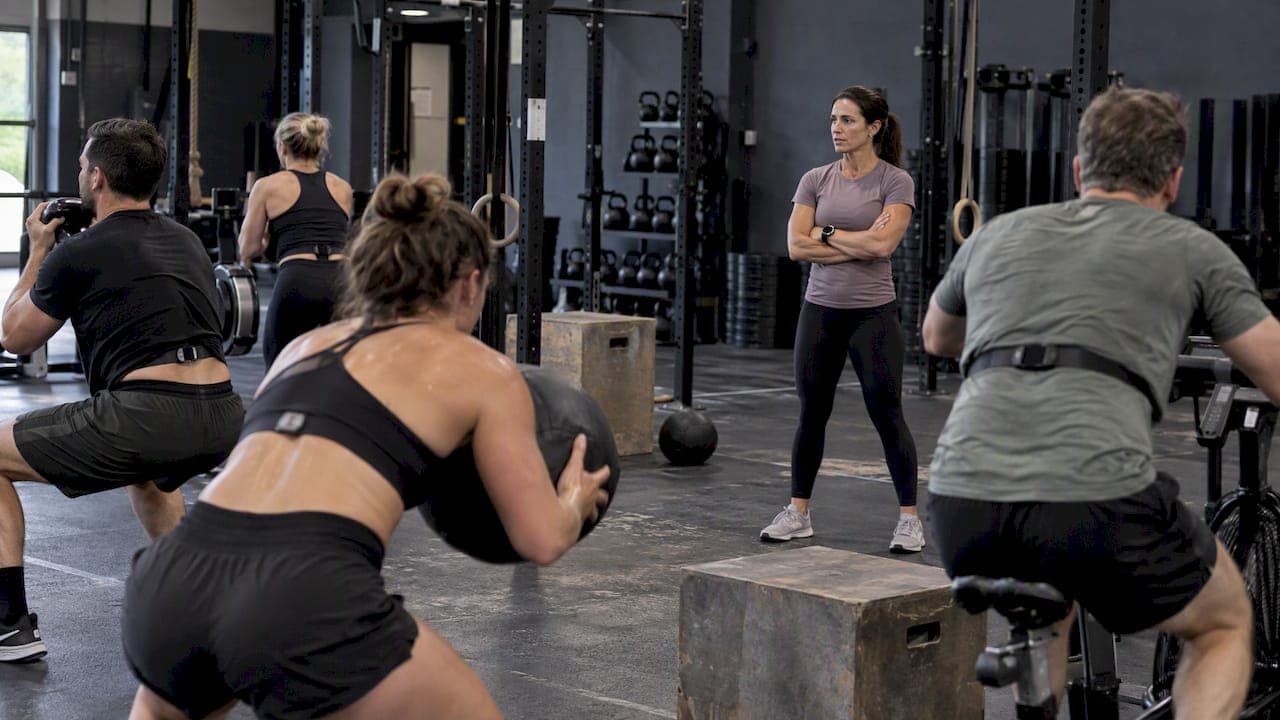
Yes, the fastest reliable path is an opt-in pilot that uses members' phones as Health Connect or HealthKit bridges, with a Bluetooth gateway added for live class displays. This approach balances privacy, latency, and engineering effort better than building a custom vendor integration from scratch. Pick a small group of members, run the pilot for two to six weeks, and measure accuracy and engagement before you commit to a full rollout.
TL;DR:
- Bluetooth gateways provide live class displays; phone bridges through Health Connect or HealthKit lag by seconds, and vendor APIs provide only post workout data.
- A comparison found readings often within 3 beats per minute of chest straps, but gym coverage was about 92%; flag interval readings as uncertain.
- Capture revocable opt in consent before data collection, restrict staff access, encrypt stored and transmitted records, and set retention limits; membership alone is not consent.
- Recruit 5 to 30 members with compatible devices, then compare wrist readings against chest straps during matching classes and time display latency before expanding.
Table of Contents
- Why integrate wearables and which pattern fits your gym
- What wearable data you can actually use, and where it breaks down
- Integration methods: Health Connect, HealthKit, BLE, and vendor APIs
- Setting up gateways, displays, and devices at gym scale
- Privacy and data governance you need to handle now
- A step-by-step pilot plan you can run in 2 to 6 weeks
- VO2WOD field notes from running integrations
- Where gym wearable integration is headed next
- Turnkey wearable integration for gyms that want it built already
- FAQ
- Sources
Why integrate wearables and which pattern fits your gym
Live heart rate and automatic workout scoring change how members experience a class; you can use a heart rate zone calculator to configure training zones and optimize member engagement. Seeing your own effort on a screen, or watching a coach call out zones in real time, pushes people to work harder and gives trainers a reason to check in with someone who's coasting. It also gives coaches objective data instead of guesswork when someone claims they "went all out."
Three patterns dominate how gyms actually pull this off:
- Mobile-bridge: members' phones sync wearable data through Health Connect (Android) or HealthKit (iOS), keeping data on-device until the gym's app requests it.
- BLE gateway: a dedicated receiver (tablet, Raspberry Pi, or commercial hub) streams heart rate directly from wearables for near real-time class displays.
- Vendor cloud APIs: wearable brands push completed session data to the cloud, which you pull after the workout ends.
Mobile-bridge setups respect user control and are the easiest to get approved by members, but add a few seconds of latency. BLE gateways give you true live display but require hardware management. Cloud APIs are the simplest to build but only work for post-session analytics, not in-class feedback.
What wearable data you can actually use, and where it breaks down
Most gyms care about a narrow set of metrics: instantaneous heart rate, heart rate zones, session calories, cadence, and, on newer devices, HRV or recovery scores. Not all of these are equally trustworthy once you move off a treadmill and into a WOD.
- Instantaneous HR and zones work well for steady-state cardio and are the most reliable number to display live.
- Session calories are rough estimates on every consumer device and should be framed as approximate, never exact.
- Cadence and recovery metrics vary by brand and are best treated as supplementary, not core.
A peer-reviewed comparison of wrist-worn optical sensors against chest-strap ECG found mean absolute error often less than or equal to 3 beats per minute across a broad sample, but gym-style activity had the lowest data coverage of any category tested, about 92%. That gap is why interval-heavy classes need a different accuracy standard than a steady jog.
Pro Tip: Show HR zones with a confidence indicator instead of a single hard number during high-intensity intervals, since wrist sensors lose precision exactly when members are working hardest.
Placement matters too. A study on anatomical placement and wearable accuracy found forearm and upper-arm sensors generally tracked closer to chest straps than wrist placement across many exercise types, though accuracy for all optical sensors decreases during very high-intensity, ballistic movement.

Integration methods: Health Connect, HealthKit, BLE, and vendor APIs
Android and iOS have converged on the same philosophy: aggregate health data on the device first, then let apps request access with explicit consent. Health Connect and Health Services handle this on Android, while HealthKit does it on iOS. Both let your gym's app read heart rate and workout data without routing it through a third-party cloud, which simplifies your consent story considerably.
BLE gateway streaming is the route when you need numbers on a TV screen during a live class. A phone, tablet, or small single-board computer scans for nearby heart rate monitors broadcasting over Bluetooth Low Energy, then forwards readings to your display software. This is the only pattern that delivers true second-by-second feedback.
Vendor cloud APIs (Garmin, Fitbit, Samsung) are better suited to post-session history: pulling a completed workout's HR curve into a member's profile for trend tracking over weeks.
One migration note matters here: Google has moved away from the old Google Fit REST APIs toward Health Connect for on-device aggregation, with the Google Health API reserved for cloud-based use cases. Any integration plan built on the old Fit REST endpoints needs to migrate.
Before you write a line of integration code, nail down:
- A clear, revocable consent flow shown before any data request.
- Token refresh and expiration handling for cloud-connected accounts.
- A sampling frequency (1Hz is standard for live HR) with smoothing to cut motion noise.
- De-duplication logic so a session uploaded both on-device and via cloud sync doesn't post twice.
Setting up gateways, displays, and devices at gym scale
A pilot's hardware choices decide how smoothly it scales. Three gateway options cover most gyms:
- Dedicated tablets or phones running a lightweight BLE scanner app: cheapest to start, easiest to troubleshoot.
- Raspberry Pi with a BLE module: more reliable for a fixed installation, slightly more setup work.
- Commercial BLE gateways: priced for scale, worth it once you're running multiple rooms simultaneously.
For displays, a direct feed to a gym TV works for passive viewing, but a coach tablet gives trainers control over what's shown and when, which matters more during a class than raw visibility. Expect one to three seconds of lag between a BLE gateway and a TV display; mobile-bridge setups run a few seconds behind that.
Day-to-day operations need their own checklist: a pairing flow members can do themselves in under a minute, a policy for lost or forgotten devices, a battery-check routine before busy class blocks, and a coach workflow for glancing at the board without breaking their coaching rhythm. Budget two to four weeks of engineering time for a basic gateway and display setup, longer if you're integrating with existing gym software. Setup notes on displaying heart rate on gym TVs cover the opt-in and coach-ready details that trip up most first attempts.
Privacy and data governance you need to handle now
Heart rate and workout data count as health information, and that carries real obligations even for a small gym. The FTC's updated Health Breach Notification Rule clarifies that any business drawing health data from multiple sources, including wearables, may count as a vendor of personal health records and must notify affected individuals after a breach.
Most gyms are not HIPAA-covered entities, since HIPAA applies to health care providers, insurers, and their business associates, not fitness businesses collecting wearable data directly from members. That doesn't remove your FTC obligations or reduce the reputational damage a data leak causes.
Build these controls before launch:
- Opt-in consent captured and stored, never assumed from gym membership alone.
- Least-privilege access so only the staff who need HR data can see it.
- Encryption in transit and at rest, with a retention limit instead of indefinite storage.
- A written breach notification playbook, reviewed with legal counsel if you're collecting data at any real scale.
Templates for consent language exist already; a biometric data consent toolkit and a quick-start privacy controls guide cover most of what a small gym needs without hiring outside help.
A step-by-step pilot plan you can run in 2 to 6 weeks
- Define the use case and success metric: pick one goal, such as live HR on the TV during group classes, and set a target like improved class engagement or a coverage threshold for accurate readings.
- Choose your integration path: mobile-bridge for privacy-first rollout, BLE gateway if live display is the whole point.
- Recruit 5 to 30 opt-in members who already wear a compatible device, and capture consent before any data flows.
- Run accuracy and latency tests: compare wrist readings against a chest strap on a handful of members during identical classes, and time how long data takes to hit the screen.
- Train coaches on reading the display and talking members through what the numbers mean.
- Review results and decide: roll out gym-wide, iterate on the rough edges, or shelve it if engagement didn't move.
Pro Tip: Start with coach-facing features, like a coach tablet showing the whole class's zones, before opening leaderboards to the entire membership. It cuts privacy pushback and gives you time to fix UX issues quietly.
VO2WOD field notes from running integrations
Running wearable integrations across functional fitness gyms surfaces the same handful of problems repeatedly: members pairing the wrong device, sampling rates that don't match between gateway and display, and coaches who ignore a dashboard that's too busy to glance at mid-class. Our system includes automatic workout scoring and live biometric displays designed to reduce friction by associating heart rate data directly with the workout being scored, avoiding the need for coaches to cross-reference multiple screens.
Onboarding a gym typically starts with migrating existing member and workout history, then layering in wearable pairing during the first few classes so the rollout doesn't feel like a separate project from day-to-day coaching.

Where gym wearable integration is headed next
The next couple of years will push more processing onto the device itself, which is good news for gyms worried about liability. Health Connect and HealthKit already keep raw data local until an app requests it, and that model will keep expanding rather than reversing toward centralized cloud storage.
Proximal sensors, worn on the forearm or upper arm rather than the wrist, are also closing the accuracy gap with chest straps for everyday training, not just clinical settings. If you're planning a gym tech investment for 2026, put consent and data hygiene ahead of flashy dashboards. The gyms that get burned aren't the ones with clunky displays, they're the ones that skipped the opt-in conversation.
— Marcus
Turnkey wearable integration for gyms that want it built already
VO2WOD is designed for functional fitness gyms that want live biometrics and automatic scoring without stitching together a custom integration themselves. 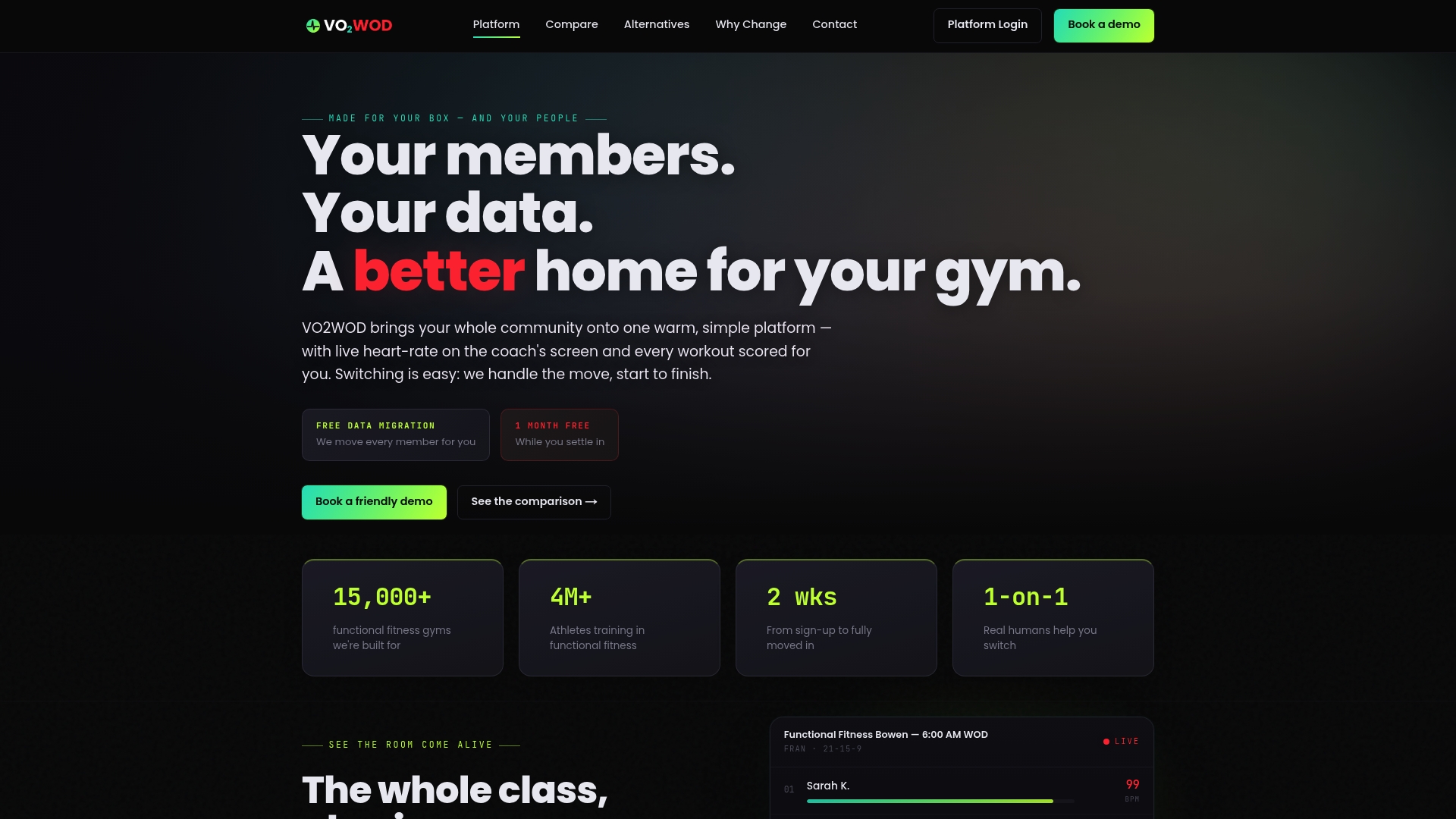
- Live in-class heart rate monitoring tied directly to the workout being scored, not a separate screen.
- Wearable integrations covering Garmin, Apple, Fitbit, and Samsung devices.
- Automatic workout scoring that removes manual data entry for coaches.
- Free data migration and a complimentary first month, with support available through the transition.
If your gym is still running the pilot steps above manually, see how VO2WOD compares or check why gyms switch before investing more engineering time in a DIY build. Start at Vo2wod to see the platform directly.
FAQ
What are some good gym wearables?
Garmin, Apple Watch, Fitbit, and Samsung devices are the most commonly integrated wearables in gym settings, largely because they have mature developer platforms through Health Connect, HealthKit, and vendor APIs. Chest strap heart rate monitors remain the preferred choice for accuracy during high-intensity interval work.
Is Google Fit discontinued?
Google has shifted its integration strategy away from the old Google Fit REST APIs toward Health Connect for on-device data aggregation, with the Google Health API handling cloud-based use cases. Developers still building on the legacy Fit REST endpoints should plan a migration.
What is the best wearable tech for fitness?
There's no single best device. Wrist-worn optical sensors work well for steady cardio and everyday tracking, while chest straps remain the more consistent choice for high-intensity interval accuracy, according to comparisons of commercial heart rate monitors in athletes, which found chest straps are generally the most consistent devices for high-intensity interval accuracy.
How do people carry their phones at the gym?
Most gym-goers either leave phones in a locker, clip them to an armband, or set them on the floor near their station during a class. For wearable integrations using a mobile-bridge approach, the phone doesn't need to stay on the body since it syncs data passively through Health Connect or HealthKit once nearby.
Sources
- Wrist‑worn optical and chest strap heart rate comparison in a heterogeneous sample
- Impact of anatomical placement on wearable heart rate monitor accuracy
- Fit migration guide | Android health & fitness | Android Developers
- FTC finalizes changes to the Health Breach Notification Rule