

For most gym owners, the practical path into group heart rate monitoring runs through an operator-first platform like VO2WOD, because it pairs reliable local telemetry with member engagement features rather than a bolt-on gadget. The two reasons that matter most: dependable in-room data capture and a leaderboard system that actually gets used. Start small. Pilot one opt-in class before you commit to a room-wide rollout.
TL;DR:
- Use two receivers per room to ensure complete coverage, considering obstacles like equipment racks and mirrors that can block signals.
- Start with a small pilot by selecting a single class and clearly explaining voluntary opt-in procedures to maximize participation and data accuracy.
- Ensure staff are trained on dashboard interpretation, troubleshooting, and communicating privacy protocols to prevent support issues during classes.
- Budget for hardware, software, and ongoing maintenance costs, and consider adding a small membership fee or class tier to recover expenses without discouraging participation.
- Choose a platform like VO2WOD that integrates widely used wearables, automates scoring, and provides support, reducing setup friction and supporting reliable real-time monitoring.
Table of Contents
- What Is Group Heart Rate Monitoring and How Does the Hardware Chain Work?
- How Do You Set Up the Hardware Without It Falling Apart Mid-Class?
- When Should Coaches Check Heart Rate During a Class?
- What Business Results Can You Expect from a 60-Day Pilot?
- How Should You Handle Member Privacy and Consent?
- What Does a Pilot-to-Launch Checklist Look Like?
- Why VO2WOD Fits This Checklist and How to Start
- How Do Group Heart Rate Platforms Compare on Features and Support?
- What Does a Group Heart Rate Monitoring System Actually Cost?
- What Should You Look for When Evaluating a Platform?
- What Goes Wrong During Rollout and How Do You Fix It?
- What Legal and Data Security Rules Apply Beyond Basic Privacy?
- What Training Do Coaches and Staff Actually Need?
- Lessons From Watching Gyms Get This Wrong (and Right)
- Get Group Heart Rate Monitoring Running Without the IT Headache
- Sources
What Is Group Heart Rate Monitoring and How Does the Hardware Chain Work?
Group heart rate monitoring is the practice of capturing live heart rate data from every participant in a class and displaying it on a shared screen so coaches and members can see effort levels in real time. The technology behind it is simpler than most vendor pitches make it sound, and understanding the chain helps you evaluate any platform honestly.
Every system follows the same basic path: a wearable sensor reads heart rate, a wireless protocol carries that signal, a receiver or gateway pulls it in, and software turns it into the dashboard your members see on the wall. Chest straps read electrical signals directly off the skin and tend to be more accurate during high-intensity intervals than wrist-based optical sensors, which can lag during quick heart rate swings. Most gyms end up supporting both because members already own one or the other.
The signal itself travels over Bluetooth Low Energy (BLE) or ANT+, two different wireless protocols that solve the same problem differently. BLE dominates consumer wearables, since it is what phones and most fitness watches use natively, while ANT+ was purpose-built for multi-sensor environments and tends to scale better when a room is packed with signals. A dual-protocol gateway that reads both avoids locking out members whose device only speaks one language.
Once the gateway has the data, it needs somewhere to go. That's usually one of three display modes:
- Individual view: a member checks their own number on a personal screen or app, no comparison involved.
- Opt-in leaderboard: names and heart rate zones appear on a shared screen, but only for members who chose to participate that session.
- Instructor dashboard: the coach sees the whole room at once, often color-coded by zone, to adjust pacing on the fly.
Coverage matters as much as protocol choice. A single receiver typically handles about a 45-foot radius, which sounds generous until you account for equipment racks, mirrors, and the sheer density of bodies between the sensor and the receiver. That's why most working installations run two receivers per standard room rather than betting everything on one.
How Do You Set Up the Hardware Without It Falling Apart Mid-Class?
Getting the physical setup right is where most first attempts at group heart rate monitoring go sideways. It's rarely the software that fails. It's a receiver mounted behind a mirror, or a display that freezes because it's fighting for bandwidth on the same Wi-Fi network as forty members' phones.
Start with these steps, in order:
- Map the room before buying anything. Note where equipment racks, mirrors, and speaker systems sit, since all three can block or distort signal.
- Plan for two receivers per room minimum. One receiver near the front for the instructor dashboard, one at the back half to cover the full 45-foot radius without dead zones.
- Size the display to the room, not the budget. A 55-inch screen that's readable from the front row is useless to someone on a rower in the back corner. Match screen size and count to room depth and participant count, as installer guidance from FitMetrix recommends.
- Wire receivers and displays over PoE (Power over Ethernet) wherever the layout allows. A wired connection avoids the Wi-Fi congestion that causes frozen tiles and dropped signals mid-class, a common complaint in rooms packed with member phones and smartwatches.
- Choose your pairing workflow deliberately. Proximity pairing, where a sensor connects automatically to the nearest receiver, works well for drop-in classes with high turnover. Channel-ID pairing, where each sensor is assigned to a specific member profile, works better for regulars who want their history tracked session to session.
- Tune RSSI (signal strength) thresholds to prevent a sensor in the next room from accidentally pairing with your gateway, a real risk in shared facilities with multiple studios running simultaneously.
A 2024 systems study on BLE-based group monitoring found that gateways maintain reliable concurrent connections at roughly 12 meters, about 39 feet, which lines up closely with the 45-foot receiver radius installers commonly recommend. For larger rooms, the fix isn't a stronger single receiver. It's coordinated multiple gateways feeding the same dashboard.
Pro Tip: Test your setup during an actual class, not an empty room. Body heat, phone signals, and forty extra wearables in the room change the interference picture completely from a quiet walkthrough.
When something breaks mid-class, the fastest fixes are usually: check the receiver's line of sight first, restart the gateway before touching the display, and confirm the member's sensor has fresh batteries before assuming it's a software bug.
When Should Coaches Check Heart Rate During a Class?
Heart rate data is only useful if a coach knows when to look at it and what to say when they do. Running the display for its own sake, without a coaching script behind it, turns a useful tool into wallpaper.
ACE Fitness recommends a minimum of three heart rate checks during a conditioning class, and this rhythm works for most 60-minute formats:
- Check one, early in the conditioning block: confirm members are actually in their target zone, not still warming up.
- Check two, at peak intensity: this is where coaching cues matter most. "You should be near your max here. If you're not, push the pace."
- Check three, during cool-down: show members how quickly their heart rate drops. Recovery speed is itself a fitness marker worth calling out.
Predicted max heart rate formulas carry real error margins, so treat any zone target as a guide, not gospel, and pair it with the member's own sense of effort. Cueing "you should feel like you can only speak in short sentences right now" alongside a zone number does more for member understanding than the number alone. This is where rate of perceived exertion, or RPE, earns its place next to the hard data on the screen.
Opt-in leaderboards work best when framed around effort zones rather than raw numbers. Someone with a lower max heart rate isn't performing worse. They're just wired differently, and a leaderboard that ranks by percentage of personal max rather than absolute bpm keeps that person from feeling publicly outperformed for no good reason. Live heart rate can build genuine community around shared effort, but only if it teaches rather than shames.
Watch for the obvious stop signals too: a member whose heart rate spikes well above their expected zone while reporting dizziness or chest discomfort needs to sit down immediately, no matter what the leaderboard says.
What Business Results Can You Expect from a 60-Day Pilot?
Retention and engagement lifts from live heart rate displays show up consistently enough in industry reporting that treating this as a novelty add-on undersells it. Members who can see their own progress in real time report higher perceived workout effectiveness, and that perception feeds directly into whether they renew.
The KPIs worth tracking during a pilot are narrower than most owners assume:
- Opt-in rate: what percentage of eligible members choose to appear on the leaderboard, tracked weekly.
- Attendance delta: compare attendance in the pilot class format against the same class format from the prior month.
- Net Promoter Score (NPS): a simple post-class survey question works fine here.
- Leaderboard engagement: how often members check their own historical data outside of class hours.
A structured 60-day window gives you enough data to make a real decision rather than a gut call:
On cost recoup, gyms typically split the difference three ways: charge a modest membership add-on for sensor access, sell straps at retail with a markup, or fold the cost into a premium class tier. None of these need to be aggressive. The engagement lift usually does more for retention than the sensor fee does for revenue.
How Should You Handle Member Privacy and Consent?
Heart rate data is health information, and treating it casually is both an ethical problem and a trust problem. The fix isn't complicated, but it does need to be deliberate rather than assumed.
Build opt-in into two layers: an account-level toggle for whether a member wants to use heart rate tracking at all, and a session-level toggle for whether that day's numbers appear on the shared leaderboard. This two-tier approach, recommended in wearable integration guidance for gyms, keeps participation genuinely voluntary and protects members who want the data for themselves without broadcasting it to the room.
Keep the data footprint small on purpose:
- Retain session-level telemetry only as long as you have a real use for it, not indefinitely by default.
- Anonymize historical data used for aggregate reporting whenever individual identity isn't needed.
- Ask any vendor for their written privacy policy before signing, not after.
- Confirm what happens to member data if you cancel the contract or switch platforms.
- Check whether the vendor has a documented breach response plan, not just a general privacy statement.
If your gym runs any kind of injury response protocol alongside heart rate monitoring, staff certified through a course like Prime First Aid's CPR training adds a real layer of preparedness that a screen full of numbers can't replace on its own.
What Does a Pilot-to-Launch Checklist Look Like?
Before touching hardware, settle the decisions that shape everything downstream: which class format gets the pilot, what your opt-in rules are, how many displays and receivers the room needs, and who owns the rollout internally.
- Pre-pilot: pick the class, set opt-in policy, confirm receiver and display counts against room size.
- Installation: run PoE wiring, mount receivers with two per room minimum, position screens for sightlines, script the pairing workflow.
- Launch: train staff on the dashboard and troubleshooting basics, communicate opt-in details to members, open enrollment.
- Post-pilot review: pull KPI data, gather staff and member feedback, decide whether to scale.
| Phase | Key decision |
|---|---|
| Pre-pilot | Class format and opt-in policy |
| Installation | Receiver count and pairing workflow |
| Launch | Staff readiness and member communication |
| Review | Scale, adjust, or stop |
Why VO2WOD Fits This Checklist and How to Start
Every step in this checklist points toward the same requirement: a platform that handles real-time monitoring without demanding a data-entry team to support it. VO2WOD was built around that exact gap, combining live heart rate tracking with automatic workout scoring so coaches see effort and results in one dashboard instead of stitching sensor data and scorecards together by hand.
What it covers for the pilot plan above:
- Real-time heart rate display designed for class-wide dashboards, not just individual screens.
- Wearable integrations with Garmin, Apple, Fitbit, and Samsung devices, so members aren't locked into a single strap brand.
- Automated scoring that ties directly into performance history, removing manual entry for coaches.
- A member-facing view that supports the opt-in leaderboard model this guide recommends.
For gyms switching from a manual system or another platform, VO2WOD includes free data migration, one month of complimentary service, and a dedicated support team for the transition, which removes most of the friction owners worry about before a pilot even starts.
Pro Tip: Run your 60-day pilot inside a platform that already reports the KPIs above by default. Chasing opt-in rate and attendance delta in spreadsheets defeats the purpose of automating the rest.
How Do Group Heart Rate Platforms Compare on Features and Support?
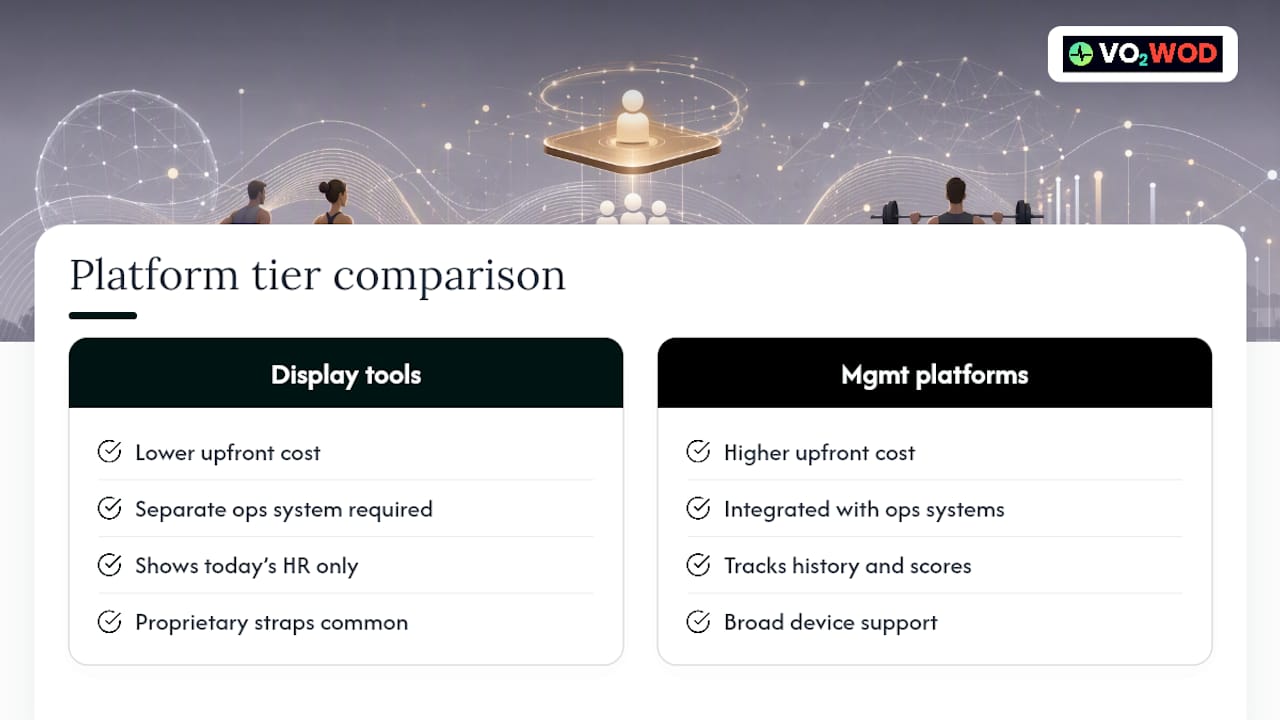
Most platforms in this category split into two tiers: single-purpose heart rate display tools that show numbers on a screen and nothing else, and full gym management platforms that build heart rate tracking into billing, scheduling, and member records. The first tier is cheaper up front, but it leaves owners maintaining two disconnected systems, one for operations and one for the leaderboard.
Feature depth is where the real differences show up. A basic display tool tells you today's heart rate. A management platform tracks that data against a member's workout history, automatically scores the session, and feeds it into retention reporting without extra work from staff. Wearable compatibility varies too. Some tools support only proprietary chest straps, while broader platforms integrate with Garmin, Apple, Fitbit, and Samsung devices members already own, which matters directly for opt-in rates.
Pricing structures generally fall into per-location subscriptions, tiered by member count or feature set, sometimes layered with a separate hardware cost for receivers and sensors. Support quality is the variable owners underestimate before signing anything. A platform with a dedicated onboarding team catches pairing issues and display misconfigurations in the first week that a self-serve tool leaves you to troubleshoot alone. That gap tends to matter most exactly when it's least convenient, mid-class with a room full of members watching a frozen screen.
When evaluating any platform, ask specifically how it handles data migration from your current system and whether support is included or billed separately after onboarding.
What Does a Group Heart Rate Monitoring System Actually Cost?
Budget for three separate cost categories, since vendors often quote only one of them upfront: hardware, software subscription, and ongoing maintenance.
Hardware includes the sensors themselves, plus receivers and displays. Chest strap sensors typically run cheaper than optical wrist units, and a gym outfitting a full class needs to decide whether to buy a shared fleet of straps or rely on members' own wearables through integration. Receivers and displays are usually the larger one-time cost, especially if a room needs two receivers and multiple screens sized for sightlines.
Software runs on a recurring subscription, typically billed monthly or annually per location, sometimes scaled by member count. This is where a full management platform and a standalone display tool diverge most in total cost. A standalone tool's subscription might look cheaper in isolation, but the gym still pays separately for the scheduling and billing software it doesn't include.
Maintenance costs are the ones owners forget to budget for entirely. Sensor batteries need replacing, straps wear out and need reordering, and receivers occasionally need firmware updates or physical relocation as room layouts change. None of these are large individually, but they add up over a year, and a platform with proactive support tends to catch failing hardware before it becomes a mid-class problem rather than after.
Recouping these costs usually comes down to a small membership add-on fee or folding heart rate access into a premium class tier, rather than treating it as a standalone charge members resist.
What Should You Look for When Evaluating a Platform?
Four criteria separate platforms that work reliably from ones that generate support tickets: accuracy, scalability, user experience, and compatibility.
Accuracy starts with the sensor hardware itself, chest straps generally outperforming optical wrist sensors during high-intensity intervals, but it also depends on gateway range and interference handling. A platform that drops connections when the room fills up isn't accurate. It's just unreliable in a way that looks like an accuracy problem.
Scalability matters more than most owners realize until they try to run the same system in a second room or a second location. A setup that works fine for one 20-person class can struggle when three rooms run concurrent sessions on the same network, unless the gateway architecture was built for coordinated multi-room coverage from the start.
User experience cuts two ways: the member-facing display needs to be readable and motivating without being confusing, and the coach-facing dashboard needs to surface the right information fast enough to act on mid-class. A dashboard that requires a coach to tap through three screens to see who's in the red zone defeats the purpose of real-time data.
Compatibility means the platform accepts the wearables members already own, rather than forcing a proprietary strap purchase. Dual-protocol support for both BLE and ANT+ signals is the practical test here, since it determines whether a member's existing Garmin or Apple Watch works out of the box or gets left out of the leaderboard entirely.
What Goes Wrong During Rollout and How Do You Fix It?
The most common implementation failure isn't technical. It's rushing straight to a full room-wide launch without piloting first, which means every hardware and coaching mistake happens in front of your whole membership at once instead of a small test group.
Signal interference is the next most common issue, usually traced to receiver placement behind equipment racks or mirrors, or to RSSI thresholds set too loose, causing sensors from an adjacent room to pair with the wrong gateway. Both are fixable with a room walkthrough and tuning, but only if someone budgets time for it before launch day rather than discovering it mid-class.
Low opt-in rates trip up gyms that skip the consent conversation entirely and just turn the leaderboard on. Members need to understand what's being shown, who sees it, and that participation is voluntary, ideally explained before their first class with the system rather than announced from the front of the room.
Staff resistance shows up when coaches weren't trained on the dashboard before members started asking them questions about it. A coach fumbling with an unfamiliar screen mid-class undermines confidence in the whole system faster than any hardware glitch does.
Budget overruns happen when owners price only the software subscription and get surprised by receiver counts, display costs, and sensor fleet purchases later. Pricing all three cost categories, hardware, software, and maintenance, before the pilot starts avoids this entirely.
What Legal and Data Security Rules Apply Beyond Basic Privacy?
Heart rate readings qualify as health-adjacent data in most jurisdictions, which raises the compliance bar above what a typical gym membership database requires. Beyond the opt-in and retention practices already covered, owners need to think about where the data lives and who can access it.
Any vendor storing member heart rate data should offer clear documentation on data encryption both in transit and at rest, and should specify whether data is stored on servers within the country your gym operates in or offshore. Ask directly whether the vendor's infrastructure has undergone a third-party security audit, and request the results rather than taking a marketing claim at face value.
Contracts matter here more than owners expect. Check what happens to historical member data if you cancel the platform: whether it's deleted, exportable, or retained by the vendor indefinitely. Also confirm who is liable if a data breach exposes member health information, since that liability doesn't automatically default to the vendor just because the data lived on their servers.
Staff access controls deserve the same scrutiny. Not every front-desk employee needs to see a member's full heart rate history, and a platform that lets you set role-based permissions limits exposure if a login credential is ever compromised. Building these questions into your vendor evaluation checklist alongside the privacy items covered earlier closes the gap between "we have a privacy policy" and "we've actually secured this data."
What Training Do Coaches and Staff Actually Need?
A heart rate display is only as good as the person standing in front of it explaining what the numbers mean. Coaches need training on three things specifically: reading the dashboard fast enough to act during class, running the three-check script covered earlier in this guide, and troubleshooting the basic hardware failures that happen mid-session.
Front-desk staff need a lighter but still real training pass, mainly on explaining the opt-in process to new members and answering the privacy questions that come up naturally when someone straps on a heart rate monitor for the first time. This doesn't need a formal certification. A single walkthrough session covering the dashboard, the consent flow, and the two most common hardware fixes, dead receiver and low sensor battery, covers most of what staff will face in a normal week.
Ongoing support matters more than the initial training session. A platform with a dedicated support team available after onboarding catches configuration drift, staff turnover gaps, and firmware updates that a one-time training video never will. Budget for a refresher session every time you onboard new coaching staff, since a heart rate system that only one veteran coach knows how to run becomes a liability the day that coach takes a vacation.
Lessons From Watching Gyms Get This Wrong (and Right)
The gyms that struggle with this technology almost always skip the same three steps: they buy hardware before mapping the room, they turn leaderboards on before explaining opt-in to members, and they train one coach instead of the whole staff. Fix those three, and most of the technical drama disappears on its own.
The bigger lesson is that heart rate data is a coaching tool, not a scoreboard. The moment it starts making members feel ranked rather than informed, it starts working against retention instead of for it.
Measure what the pilot actually tells you, then adjust. Don't wait eight weeks to fix a pairing problem you noticed in week two. Run one opt-in class this month and let the data settle the debate about whether this is worth scaling.
— Marcus
Get Group Heart Rate Monitoring Running Without the IT Headache
VO2WOD gives gym owners the real-time telemetry, automatic scoring, and wearable integrations this guide walks through, built specifically for functional fitness gyms rather than retrofitted from a generic booking tool.
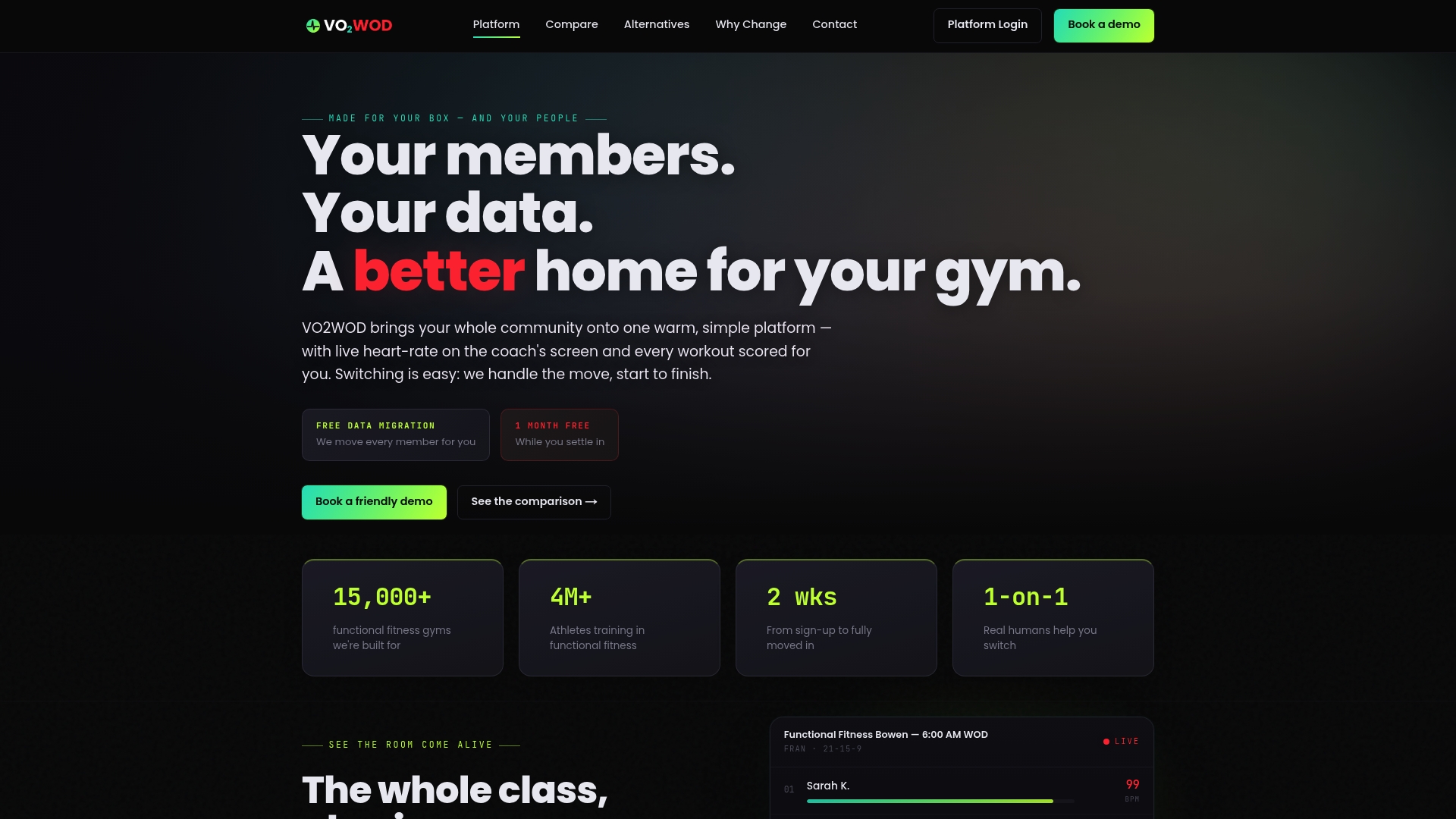
If you've been comparing platforms and feeling stuck on which one actually handles heart rate data without turning your front desk into a data-entry department, that's the exact problem VO2WOD was built to remove. It connects to Garmin, Apple, Fitbit, and Samsung devices your members already wear, scores workouts automatically, and hands coaches a live dashboard instead of a spreadsheet. Gyms switching from another system get free data migration, one month of complimentary service, and a dedicated support team through the transition, so the pilot plan in this guide doesn't stall on setup friction.
See how the platform maps against other functional fitness software you might already be considering, or go straight to Vo2wod to start a pilot with your own first opt-in class.
Sources
- How to monitor participants' intensity in group fitness classes — ACE
- G.FIT user guide and specification — ANT+ / GFIT
- Wearable integration for gyms: heart rate tracking, leaderboards & partner devices — Rework resource
- Determining hardware needs — FitMetrix support