

Adopt group heart rate training if you can reliably manage sensors, displays, and staff routines. Live group sessions produce measurably higher effort than solo or on-demand workouts, and that translates into better retention signals once you build the habit of tracking, coaching, and reporting on it. Start with the implementation checklist below before you buy anything.
TL;DR:
- Live group heart rate sessions produce 14% higher effort levels than solo workouts, primarily driven by social presence, pacing cues, and coach accountability.
- Effective group training relies on precise hardware, including chest straps, a large display, and integrated software that links data to member profiles and class records.
- Coaches should use live heart rate data mainly for quick checks and recovery monitoring, avoiding over-reliance on displays during intense intervals.
- Key indicators of success include increased time-in-target-zone, higher class heart rates over time, improved attendance, and better long-term member retention.
- Starting with a pilot class and expanding gradually, supported by vendor-provided systems like VO2WOD, minimizes operational risks and facilitates data-driven program validation.
Table of Contents
- Why Does Group Heart Rate Training Actually Work?
- What Hardware and Software Do You Actually Need?
- How Should Coaches Use Live Heart Rate Data in Class?
- Which KPIs Prove Group Heart Rate Training Is Working?
- How Do You Roll Out a Group Heart Rate Program?
- How VO2WOD Fits Into a Group Heart Rate Rollout
- What Do Coaches Actually Notice Running These Classes Day to Day?
- Ready to Put Group Heart Rate Training on Your Schedule?
- Sources
- FAQ
Why Does Group Heart Rate Training Actually Work?
The core evidence is straightforward: live group sessions produce a 14% higher mean heart rate than at-home or on-demand workouts covering the same content. That gap isn't about willpower. It's about social presence, pacing cues from other bodies in the room, and the accountability of a coach who can see you.
Statistic Callout: Members working out live in a group hit a mean heart rate 14% higher than those doing the identical workout alone at home or via streaming. For a gym charging for group classes over app-based content, that gap is the entire value proposition in one number.
A 2026 meta-analysis reviewing group versus individual exercise interventions found something coaches have suspected for years: the benefit isn't automatic. It comes from what researchers call "true groups," meaning classes that actually use group-dynamics techniques like shared goals, team-based challenges, and mutual accountability, rather than a room of people who happen to be exercising near each other. Slap a heart-rate monitor on a class that already feels disconnected and you'll get modest gains at best.
The business case follows directly from the physiology. Higher effort in class means members feel like they got something for their money, and that feeling is what keeps a membership active past the six-month mark. Gyms tracking heart rate data consistently see it show up in three places:
- Attendance patterns improve when members can see their own effort trending upward week over week.
- Upsell conversations get easier because you have objective data to point to when recommending a small-group or personal training add-on.
- Word-of-mouth referrals increase because members talk about their zone stats the way runners talk about their splits.
None of this is free of risk. Publicly ranked leaderboards can discourage newer or less-fit members who see their name at the bottom every single class, and some members are simply uncomfortable having biometric data displayed at all. A 2025 study on shared heart-rate displays found the same technology that builds accountability can also spike unwanted competitiveness or privacy anxiety, depending entirely on how the display is designed. The fix isn't to skip the technology. It's to make participation opt-in and give coaches control over what the screen actually shows.
What Hardware and Software Do You Actually Need?
The minimal stack for group heart rate training is four pieces: sensors, a receiver or hub, a display, and software that ties the data to member profiles and class schedules. Skip any one of these and you end up with numbers nobody can act on.
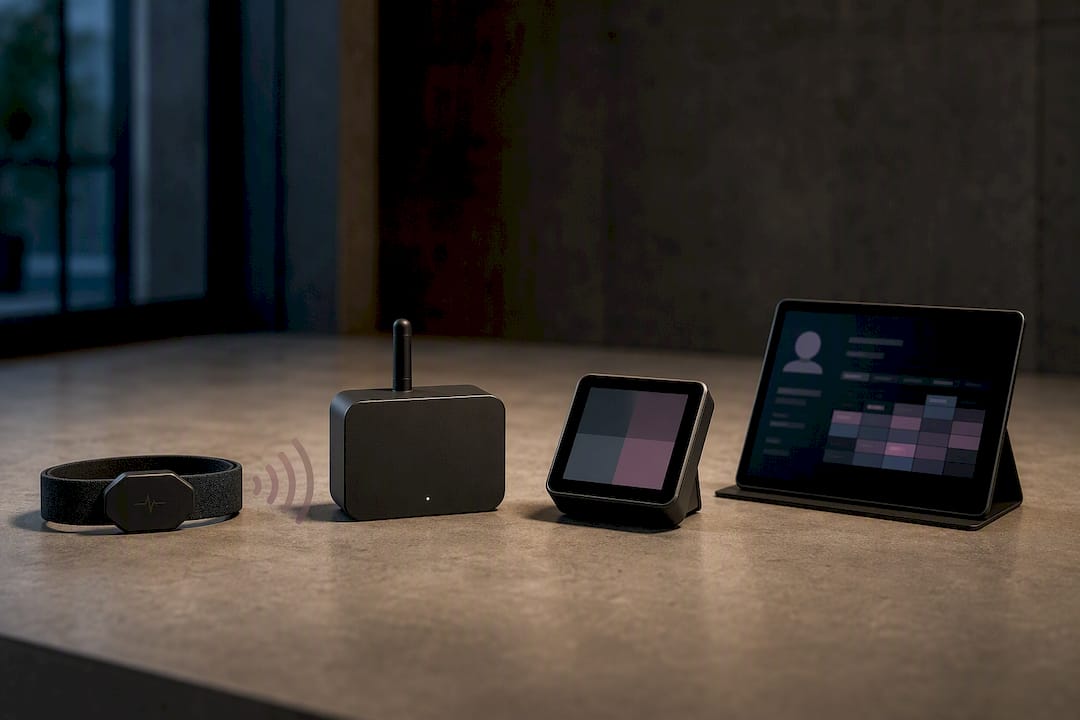
Sensors. Chest straps remain the accuracy standard because they read electrical signals directly off the heart, which is why most coaching guidance still treats them as the baseline for intensity monitoring in group settings, per ACE Fitness. Wrist-based optical sensors are more comfortable and faster to hand out, but they lag during rapid intensity changes, which is exactly when your interval class needs accurate readings. Wearable integrations (Garmin, Apple, Fitbit, Samsung) let members use gear they already own, cutting your hardware spend but adding pairing friction since every device brand behaves a little differently at check-in.
Display and hub. Your receiver pulls signals from every strap in the room and pushes them to a shared screen. Budget for a screen large enough to read from the back row, and decide upfront whether you want zone tiles (color-coded bands showing each member's current effort zone), a leaderboard ranking, or an aggregated class-average chart. Zone tiles tend to motivate without triggering the comparison anxiety that leaderboards can create, especially in a room with mixed fitness levels.
Software integration. This is the piece most gyms underestimate. The sensor data is only useful if it links to member profiles, syncs to attendance records, and generates reports you can actually use later. Before buying, confirm the platform supports:
- Automatic linking of heart-rate sessions to individual member accounts, not just anonymous device IDs.
- Export or API access so data isn't trapped in a single vendor's dashboard.
- Historical tracking so a member (and you) can see progress over months, not just one class.
Pro Tip: Buy two or three spare sensors beyond your class size. Straps fail, batteries die mid-warm-up, and nothing kills class energy faster than a coach troubleshooting hardware in front of twenty people.
How Should Coaches Use Live Heart Rate Data in Class?
The screen is a coaching tool, not a substitute for coaching. ACE Fitness's guidance on monitoring intensity in group classes is blunt about this: check the screen periodically, coach the zones and effort rather than narrating individual numbers, and never let the display become something members stare at instead of moving.
Here's a practical sequence that works across most formats:
- Warm-up (0 to 10 minutes): Glance at the screen once to confirm everyone's device is reading. Don't call out numbers yet, just verify the tech is working.
- Work intervals: Use the screen for quick 5 second checks between rounds. If half the room is still in the blue zone during a supposed max effort round, that's your cue to push pacing, not a member's personal failure.
- Recovery windows: This is where the screen earns its keep. Watch how fast heart rates drop. Novices recover slower than textbook intervals assume, so a "speeding ticket" rule, meaning you don't let anyone stack a new round before their heart rate drops into a safe recovery band, keeps the class both effective and safe.
- Cool-down: Show the class average heart-rate curve for the session. This is the moment members connect effort to the numbers, and it's a natural bridge into RPE teaching.
Teaching members to translate a felt sense of effort into a Rate of Perceived Exertion (RPE) score, usually on a 1 to 10 scale, and mapping that against their percent of max heart rate gives them a tool that works even on days their sensor fails to pair. Run a short calibration drill in the first two classes: have members guess their RPE during a set effort, then show them the actual zone reading. Most people are surprised by how far off their gut sense runs, and that gap closes fast with a couple of reps.
Pro Tip: Don't announce max heart rate estimates as gospel. The standard 220 minus age formula, still referenced in CDC guidance on heart-rate basics, carries a real margin of error for individuals. Treat it as a starting estimate, not a hard ceiling, especially for members on medications that affect heart rate.
On gamification, keep displays opt-in and lean toward team challenges over public individual rankings. Anonymized tiles or team-based scoring keep the accountability benefit without turning class into a public shaming exercise for the person still building aerobic base.
Which KPIs Prove Group Heart Rate Training Is Working?
Five numbers matter more than the rest, and they're all things your software should be calculating automatically rather than something a coach tallies on a clipboard.
- Average time-in-target-zone per member, per class, tells you whether your programming is actually hitting the intensity you're coaching toward.
- Mean class heart rate trended over weeks flags whether a class format is getting harder, easier, or stagnant.
- Effort points (if your platform scores relative effort rather than raw bpm) let you compare a 60-year-old member fairly against a 25-year-old in the same leaderboard.
- Attendance change following heart-rate program launch is your clearest retention signal.
- Member retention rate at 90 and 180 days post-launch is the number that actually justifies the spend to a skeptical business partner.
| Metric | How Often to Check | What a Good Trend Looks Like |
|---|---|---|
| Time-in-zone average | Weekly | Rising or stable across 4 weeks |
| Mean class heart rate | Weekly | Stable, not declining |
| Attendance per class | Monthly | Flat or increasing after launch |
| 90-day retention | Quarterly | Improvement over pre-launch baseline |
Build a simple monthly dashboard that benchmarks instructors and class formats against each other. A coach whose classes consistently produce lower time-in-zone averages might need pacing feedback, not blame, since the fix is often as simple as adjusting rest intervals.
Set automated triggers for outreach: a member whose attendance drops after a strong effort streak is a prime re-engagement target, and a member hitting new zone personal bests is a natural upsell conversation for small-group coaching.
A rough ROI calculation: take your attendance lift after launch, multiply by average class revenue per head, then subtract your monthly software and hardware cost. If a facility running 20 classes a week adds even two members per class who stay an extra three months because of visible progress data, the math clears fast.
How Do You Roll Out a Group Heart Rate Program?
Start small. Operational rollout guidance consistently points to piloting a single class before scaling across your full schedule, and that advice holds up in practice because it lets you catch hardware and workflow problems before they hit every time slot.
Pilot week (Days 1 to 7):
- Choose one class, ideally a format with clear interval structure, and outfit it with sensors for every attendee.
- Assign one staff member as the tech point person, responsible for charging, pairing, and quick troubleshooting.
- Write a one-page troubleshooting script for common issues (sensor won't pair, reading looks wrong, screen freezes) so any staff member can handle it without panicking mid-class.
- Walk each member through strap placement and app pairing before the first rep.
Weeks 2 through 4: Expand to two or three more classes, gather member feedback on the display format, and adjust what's shown on screen based on what confused or motivated people.
Budget checklist before you commit:
- Sensor hardware (straps, wearables, or a mix)
- Display screen and mounting
- Software subscription covering the reporting and integration features from the previous section
- Staff training time
- Hygiene supplies (wipes, spray, strap covers)
- Two to three spare devices
Keep a visible charging and cleaning station near the front desk so devices are always ready, and build a "quick fail fallback," meaning a manual RPE-based backup plan for the day the hub goes down. Train coaches on the coaching sequence covered earlier, and have front desk staff practice a simple script explaining the program to curious members walking by during your launch week promotion.
How VO2WOD Fits Into a Group Heart Rate Rollout
Everything covered above, sensor management, display design, KPI tracking, and phased rollout, is exactly what VO2WOD was built to handle for functional fitness gyms. The platform provides live biometric monitoring during class, automatic workout scoring so coaches aren't manually logging results, and wearable integrations across Garmin, Apple, Fitbit, and Samsung, which covers most of the pairing friction owners run into with a mixed-device membership base.
For the KPI tracking and reporting described in the measurement section, VO2WOD keeps member profiles, performance history, and attendance data in one place instead of scattered across a spreadsheet and three different apps. That matters most during the pilot phase, when you're trying to prove the program works before scaling it.
A few operational specifics worth knowing:
- Free data migration, so switching from an existing system doesn't mean rebuilding your member database from scratch.
- One month of complimentary service to test the rollout before committing.
- A dedicated support team assigned to the transition itself, not just general customer service.
The features map directly onto the checklist from the rollout section: sensor and wearable integration covers hardware, automatic scoring covers the reporting layer, and the migration support covers the operational risk owners worry about most before switching platforms.
What Do Coaches Actually Notice Running These Classes Day to Day?
The screen helps, but it's not the coaching. Members improve when a coach reads the room, not the display, and adjusts pacing based on faces and breathing as much as numbers.
Do: check the screen between rounds, not during them. Coach effort in plain language ("push here, ease off there") and let the zone data confirm what you already suspected. Don't: read bpm numbers out loud during max effort intervals. It turns coaching into commentary.
One early surprise: a batch of new members consistently showed lower zone readings despite visibly working hard. Turned out their straps were dry and losing contact in a cold room. Adding a quick water-spritz step to onboarding fixed it in one class.
The lesson holds beyond that one glitch. Coach the behavior, not the screen.
— Marcus
Ready to Put Group Heart Rate Training on Your Schedule?
If the checklist above sounds like a lot to manage on top of running classes, that's the actual problem VO2WOD was built to solve. It's management software made specifically for functional fitness gyms, pairing the live heart-rate monitoring and automatic workout scoring covered in this guide with membership billing, scheduling, and check-in in one system, so you're not stitching together a sensor app, a spreadsheet, and a separate billing tool.
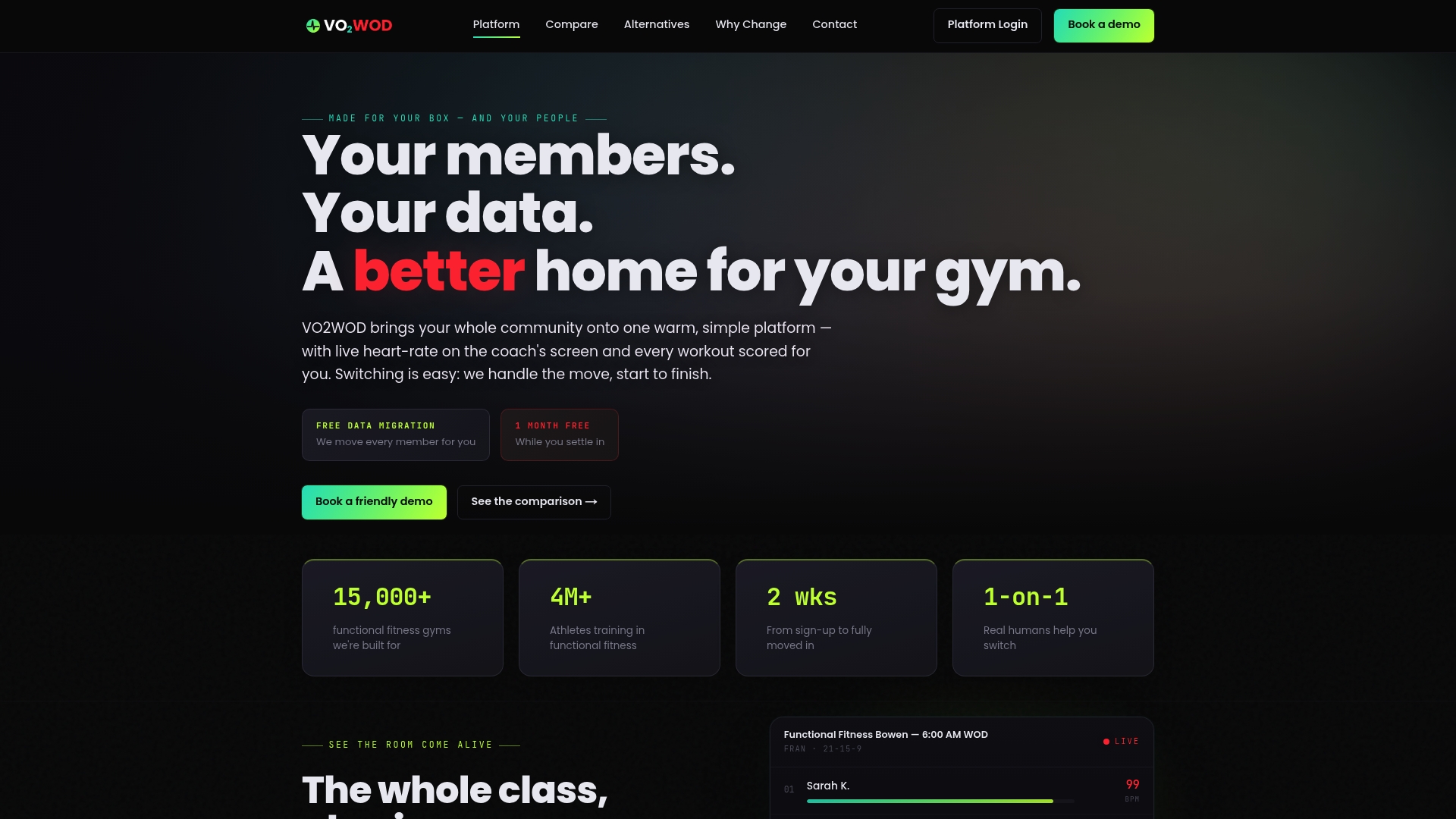
Owners switching from another platform can access data migration services and transition support, plus a trial period to run a pilot class before paying anything. If you're currently comparing options, the VO2WOD alternatives page breaks down how it stacks up against other gym management tools, and the why switch page covers the cost and monitoring advantages in more detail. Book a demo through VO2WOD and see how it handles your specific class schedule before you commit to any hardware purchase.
Sources
The meta-analysis on group versus individual exercise programs and the 2026 follow-up study provide the intensity and outcome data behind this guide. For hands-on coaching technique, see ACE Fitness's monitoring guidance and the Skelcore rollout guide for implementation steps. Coaches building inclusive cueing practices may also find value in Prism Counseling's fitness coaching guidance.
- Effects of group-based versus individual physical activity interventions: a systematic review and meta-analysis (PMC10102604)
- Meta-analysis comparing group-based and individual approaches for promoting physical activity (Nature, 2026)
- How to monitor participants' intensity in group fitness classes (ACE Fitness)
- How to integrate heart rate monitoring technology into your group classes (Skelcore guide)
FAQ
What Is the 3-3-3 Rule in Gym Training?
The 3-3-3 rule isn't a standardized heart-rate training framework, and definitions vary widely depending on the source. If you've seen it referenced for a specific program, check that program's own materials rather than treating it as universal terminology.
Is 140 BPM Too High for Zone 2 Training?
It depends entirely on age and fitness level rather than being a fixed threshold. Zone 2 is typically calculated as a percentage of estimated max heart rate, and CDC guidance notes the standard 220 minus age formula carries real individual variation, so heart rate zones vary substantially between individuals.
What Is a Good Weekly Schedule for Heart Rate Training?
A workable pattern for group classes mixes two to three higher-intensity interval sessions with one or two lower-intensity steady-state classes per week, giving members enough zone variety to build both aerobic base and top-end capacity without accumulating fatigue.
What Are Good Exercises for Group Heart Rate Training?
Interval formats built around rowing, cycling, bodyweight circuits, and short sprint efforts work well because they create clear, visible spikes and recoveries on the shared display, which is exactly the kind of zone movement that makes group heart rate feedback meaningful to coach around.
How Much Does Group Heart Rate Training Software Cost?
Pricing varies by platform and feature set. For current VO2WOD pricing, including the one-month complimentary trial period, check the VO2WOD site directly.