

Gym software onboarding means two jobs: moving your gym onto a new system without losing data or members, and then using that system to onboard every new member through their first 90 days. Do the first one with a migration plan and a named owner for each step. Do the second with a software-driven routine that still feels human. At VO2WOD, we handle the data migration for free and give you a dedicated support team for the transition, so the first job stops being the thing that keeps you on a system you have outgrown.
TL;DR
- Onboarding your gym to new software is a short project: audit, migrate, set up billing and schedule, train staff, then launch to members in a planned order.
- Free data migration and dedicated transition support take the slowest, riskiest part off your plate.
- Member onboarding matters most in the first 90 days. Research reported by Athletic Business links a single orientation to a 38 percent retention lift, and a series of sessions to upwards of 75 percent.
- Give every touchpoint an owner, and let software handle reminders, scoring and flags so coaches spend their time on conversations.
- Track visits in the first 30 days, then act on the members who fall behind.
Table of Contents
- Two jobs hiding under one keyword
- Part one: moving your gym onto new software
- Part two: onboarding new members through the first 90 days
- Use performance data to personalize early support
- Automate the routine without losing the personal touch
- Spot members who are disengaging early
- Metrics worth tracking during onboarding
- Our perspective on gym software onboarding
- Start with a migration that costs you nothing
- FAQ
- Sources
Two jobs hiding under one keyword
Owners who search for gym software onboarding usually mean one of two things. Some are about to switch platforms and want to know what the move involves. Others already have software and want to use it to welcome new members better. The two jobs connect. A clean launch gives you accurate member records, working billing and a schedule people can book, and those are the foundation of every welcome message, check-in and progress review you will send afterward.
This guide takes them in order: first the switch, then the member journey that the new system should run.
Part one: moving your gym onto new software
A switch goes wrong in predictable places: messy exports, billing that double-charges, schedules that do not match what members expect, and staff who were never shown the new screens. Work through the steps below in order and each of those risks gets an owner.
Step 1: Audit what you run today
List every tool that touches members: billing, scheduling, check-in, lead tracking, messaging, workout logging, and any spreadsheets. Next to each, write what it does, who uses it, and what it costs. Most functional fitness gyms find the same pattern: five or six tools that each hold part of a member's story and none that hold all of it.
This list also tells you what the new system has to replace. VO2WOD is built to consolidate core gym management and performance tracking in one platform: membership and recurring billing, class scheduling and reservations, check-in by QR code or wristband, a lead CRM, in-app messaging, a movement library and personal-record tracking. If your list contains tools for each of those, you are looking at a consolidation, not just a swap.
Step 2: Migrate your data
Data migration is where most owners expect pain. You are moving member profiles, membership types, payment details, class history, personal records and lead lists, and every field that fails to arrive becomes a front-desk question later.
What it takes: a complete export from the old system, a field-by-field map, a test import, and a check of a sample of real members against the old records. Where it goes wrong: duplicate profiles, missing membership end dates, and workout history that arrives as a single unreadable note.
This is the step we take off your hands. Data migration with VO2WOD is free, and our transition team works with you through it rather than handing you an import template and wishing you luck. Your job is to confirm that the people and memberships you recognize are the ones that arrived.
Step 3: Rebuild billing and memberships
Before anyone is charged on the new system, match each membership type to its price, billing date and renewal terms. Check a handful of members from every plan: drop-in, unlimited, limited-class packs, family or paused accounts. Decide the cutover date so no member is billed by both systems in the same cycle.
Keep the old system's records available until the first full billing cycle on the new one has cleared, so you can answer any member question with evidence.
Step 4: Build the schedule and the check-in flow
Recreate your class timetable, capacity limits and reservation rules. Then decide how members arrive: QR code or wristband check-in both work with VO2WOD, and a clear sign at the door saves coaches from explaining it to every new face. If your members rely on their own calendars, the guide on gym calendar sync approaches explains how to set that up sensibly.
If you track attendance for any compliance reason, such as school or college programs, read the notes on class check-ins and deadlines for administrators before you finalize the flow.
Step 5: Connect wearables and heart rate tracking
For a functional fitness gym, this is the step that changes the class experience. VO2WOD supports live in-class biometric monitoring through heart rate tracking and automatic workout scoring, and it integrates with Garmin, Apple, Fitbit and Samsung wearables. Members who already own a device can bring it. For group classes, Vo2hub is our group-fitness hardware, built to work with the software.

Plan the rollout rather than switching it on for everyone at once. The write-up on Fitbit gym integration timelines shows how a functional fitness rollout can be staged across weeks.
Step 6: Train staff on roles, not screens
Staff training fails when it is a tour of menus. Train by role: the front desk handles check-in and billing questions, coaches handle workout scoring and member notes, and the owner or manager reads the attendance and retention view. A session built around the real scenarios (a new member arrives, a member's card fails, a coach wants to see last month's best effort) sticks far better.
Consistency matters here. Maddie Nehlen of Opus, quoted in Coach360 News, says a strong first-30-day protocol depends on staff being trained consistently, so every team member handles each touchpoint with the same confidence.
Step 7: Launch to members in a planned order
Announce the change a couple of weeks ahead, tell members exactly what they need to do (download the app, confirm their details, connect a device if they have one), and give them one place to ask questions. Launch to current members first, so your team has a few busy weeks of practice before the next wave of new sign-ups.
We include one month of complimentary service when you start with VO2WOD, which gives you time to run your real schedule, billing and check-in on the system before the subscription begins.
Part two: onboarding new members through the first 90 days
Once the system is live, it should run your member onboarding. This is where retention is won or lost. Athletic Business reports that the first 90 days of a new member's journey are crucial, and cites research by Dr. Paul Bedford that one effective orientation session can increase retention by 38 percent, while a series of orientation sessions can increase it upwards of 75 percent. The lesson is that onboarding is a sequence, not an event.
Give every touchpoint an owner
The most useful idea in the current onboarding literature is ownership. The First 30 Ownership Protocol in Coach360 News assigns each stage to a role: on day 1 the member experience employee handles the welcome, goal check, comfort check, first note and next booking. On day 3 the assigned coach checks soreness and class fit. On day 7 the operations manager reviews attendance and runs a week-one friction check. Day 14 covers belonging and program confidence, day 21 is a retention risk scan, and day 30 is a progress recap with the next month's plan confirmed.
You do not need to copy that exact schedule, but you do need a schedule with names on it. Nothing should depend on someone remembering.
A practical first-30-days workflow
Here is a version that fits a functional fitness gym, and where software carries the load.
| When | What happens | Who owns it | What the software does |
|---|---|---|---|
| Day 0 | Welcome message, one clear first action, the first class booked | Front desk | Sends the welcome through in-app messaging and holds the reservation |
| Day 1 | Facility walkthrough, introduction to coaches, a short goal conversation, second visit booked | Coach or member experience lead | Stores the goal and a first note on the member profile |
| Day 3 | Personal text from the assigned coach about how the first sessions felt | Assigned coach | Reminds the coach and shows class history |
| Day 7 | Attendance review and a friction check | Manager | Shows visits so far and flags members with none |
| Day 14 | Phone call: how often have they come, which classes, what is in the way | Coach | Shows attendance pattern and scored workouts |
| Day 30 | In-person progress review against 90-day goals | Coach | Shows personal records and workout history |
The first workout deserves special care. A member who leaves on day one with the next class already booked has a reason to come back. Book it for them before they reach the door.
Use performance data to personalize early support
The fastest way to make a new member feel seen is to say something specific about their effort. That is hard when data lives in a whiteboard photo and a coach's memory. With automatic workout scoring and live heart rate monitoring in class, a coach can see how hard a new athlete actually worked, not just that they showed up.
Some practical uses:
- Scale with evidence. If a newcomer's heart rate stays high through a scaled workout, the coach has a concrete reason to keep the scaling in place and say so. If it stays low, there is a conversation to have about pushing a little more.
- Celebrate the first win. Personal-record tracking and the movement library give coaches a natural first milestone to point out: the first logged lift, the first benchmark, the first week of three classes.
- Prepare the day-14 call. Instead of asking an open question cold, the coach opens with something real from the member's history.
Milestones are a strong retention tool because they turn progress into something the member can see. Our guides on what to track for member milestones and on milestone notifications and check-in lift go deeper on setup.
Automate the routine without losing the personal touch
Software should do the things humans forget: the welcome message, the reminder before the first class, the nudge when a booking is missing, the flag when a member goes quiet. People should do the things that need warmth: the day-3 text that sounds like a person wrote it, the call when something is wrong, the review at day 30.
A few habits that keep automation from feeling cold:
- Write automated messages in a coach's voice, with a first name and a specific reference to the class.
- Say that a real person is behind them. A line telling the member that replies reach a human invites a response, and responses are what you are after.
- Send fewer, better messages. One clear first action beats a list of five.
- Make the human step visible. If the system schedules the day-14 call for a named coach, it happens.
VO2WOD includes in-app messaging with milestones and a lead CRM, so the lead who became a member keeps one continuous record. For a wider plan, see our gym CRM strategy for functional gyms.
Spot members who are disengaging early
Most cancellations are visible weeks before they happen, in attendance. The earliest signal is a member who joined, came once or twice, and then stopped booking. The simplest rule you can run is a weekly list of every member in their first 30 days with fewer visits than your target, sorted by days since last visit.
What to do with the list:
- Zero visits after the first week: a personal text from the assigned coach, offering a specific class time.
- A visit pattern that is slipping: a short call asking what is getting in the way, then a change to the plan, such as different class times or a lighter starting schedule.
- Strong early attendance: a milestone message and an invitation to the next level of programming.
Then use what you learn to fix the process. If many members stall after the same class, or in the same week, the onboarding sequence has a gap there. Our post on attendance rate benchmarks helps you decide what a healthy number looks like, and the one on gym churn rate covers the cancellations that hide inside billing.
Metrics worth tracking during onboarding
Keep the scorecard short. Five numbers are enough to run a good onboarding program:
- Visits in the first 30 days, per member and as an average per cohort.
- Second visit booked before leaving on day one, as a percentage of new members.
- Percentage of members reached at each touchpoint (day 3, 7, 14, 30).
- Retention at 90 days, compared by sign-up month and acquisition channel.
- Members flagged and recovered, meaning how many at-risk members came back after outreach.
Review them monthly, compare cohorts, and change one thing at a time so you can tell what worked. A January cohort will behave differently from a September one, so compare like with like.
Our perspective on gym software onboarding
Most owners we talk to treat onboarding as a cost they pay once, when they change software, and then never think about again. We see it differently. The best moment to design your member journey is the moment you move your data, because everything is already on the table: your tools, your members, your habits.
That is why we built the migration and the transition support to be free and hands-on. Functional fitness is a community business, and a community runs on knowing people. Live heart rate data, automatic workout scoring and personal records give a coach something real to say to a new athlete on day three. Messaging with milestones keeps that conversation going without a coach rebuilding it by hand.
Our view is that one platform beats five disjointed tools, because the member's story stays in one place: the lead, the first class, the first record, the billing. When your team can see all of it, onboarding stops being a checklist and becomes the way you welcome people.
Marcus
Start with a migration that costs you nothing
If you are ready to move, VO2WOD gives functional fitness gyms free data migration, a dedicated support team through the transition, and one month of complimentary service to run your real classes on the system first. It covers membership and recurring billing, scheduling, QR or wristband check-in, the lead CRM, in-app messaging, wearable integrations and live in-class heart rate tracking in one platform. Start at VO2WOD, or see how the hardware fits group classes on the Vo2hub page.
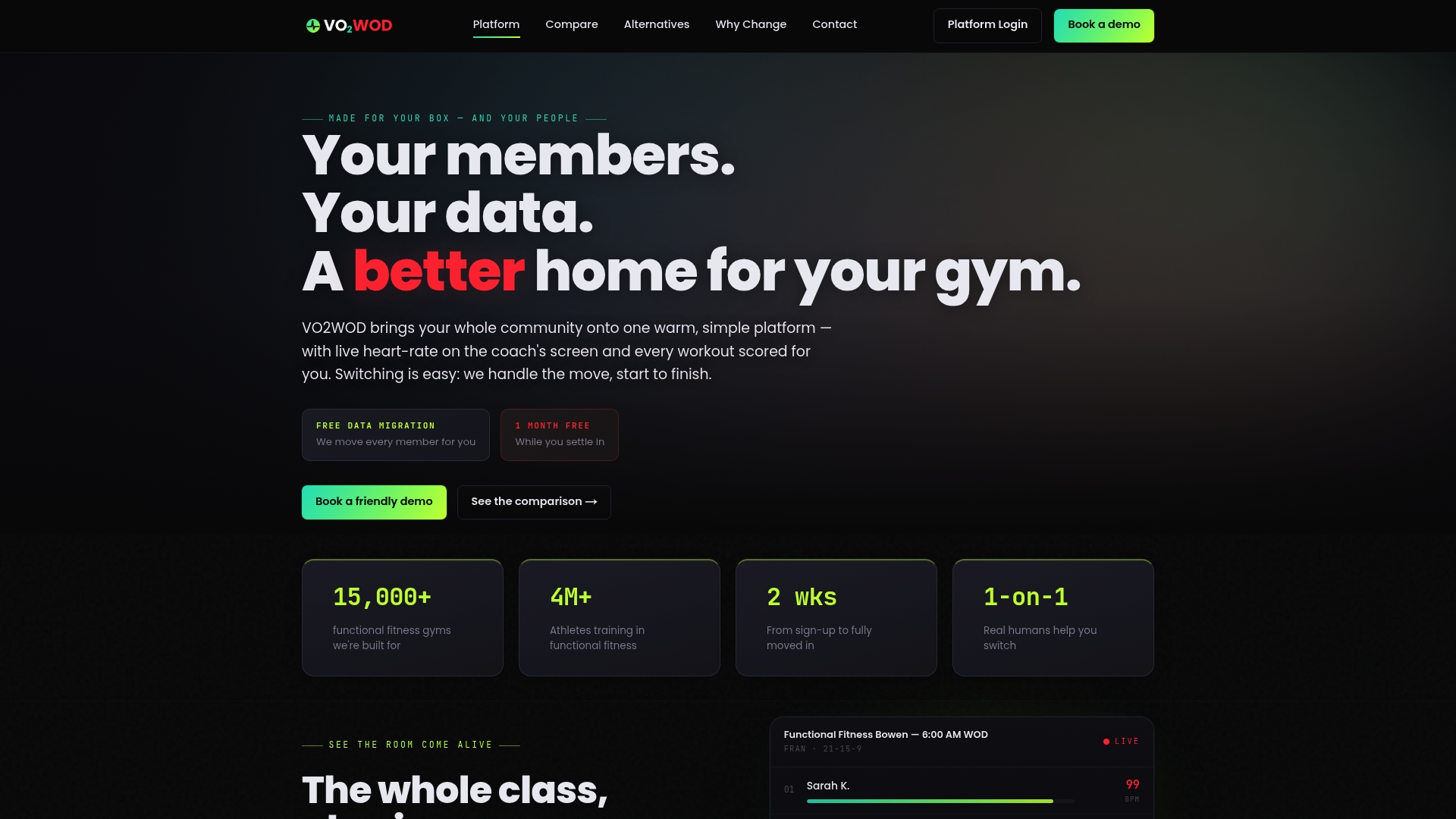
If you are weighing a switch from your current platform, our comparison with other gym software lays out the differences feature by feature.
FAQ
How long does gym software onboarding take?
The timeline depends on how much data you move and how many tools you consolidate. Plan on a short project: audit, migration, billing and schedule setup, staff training, then a member launch. Wearable rollouts can take a few weeks if you stage them, as described in our Fitbit integration guide. Our transition team works with you on the timing.
What data can I move from my old system?
Owners typically move member profiles, membership types, billing details, class history, personal records and leads. VO2WOD offers free data migration, so you confirm the result instead of rebuilding it by hand. Make a test import and spot-check real members before you set the cutover date.
What should a new member onboarding sequence include?
A welcome message, a first class with the second one already booked, a coach introduction, a short goal conversation, a personal check-in in the first week, a call around day 14 and a progress review at day 30. Give each step to a named person, as the Coach360 News ownership protocol recommends.
Will automated messages make onboarding feel impersonal?
Not if they come from a real coach's voice, reference the member's actual class, and invite a reply. Use automation for reminders and flags, and keep calls, personal texts and reviews human. In-app messaging with milestones in VO2WOD supports that split.
Which members should I contact first?
Start with new members who have no visits after their first week, then those whose attendance is slipping. A weekly list sorted by days since the last visit makes this a ten-minute task for your manager.
Sources
- Onboarding Turns New Memberships into Relationships, Athletic Business
- The First 30 Ownership Protocol: How Studios Turn New Members Into Long-Term Members, Coach360 News