

The safest way to migrate workout history is a vendor-assisted process built on a pre-migration audit, field mapping, secure transfer, and a staged test import before you touch live data. That sequence, backed by a rollback plan, keeps downtime short and your members' performance records intact. Some platforms offer free migration and dedicated support for exactly this reason, though gyms still need to treat biometric data as regulated and plan for real ownership at each step.
TL;DR:
- Most gyms can complete a full migration within one to three weeks if they start early and have dedicated support, especially handling complex fallback scenarios.
- Fields unsupported by the new platform, such as custom coach notes, should be archived as PDFs or CSVs to ensure complete member records.
- Workouts involving biometric data and health-related notes are subject to health data regulations, requiring encrypted transfer, logging, and breach notification plans.
- A staged import of 5 to 50 members should be tested first to identify any data integrity issues before migrating the entire dataset.
- Reputable platforms like Vo2wod offer free migration and dedicated specialists, but gyms must verify accepted export formats and support timelines before choosing a vendor.
Table of Contents
- How Do You Prepare to Migrate Workout History?
- Mapping and Cleaning Workout Data for Accurate Import
- What Security and Compliance Rules Apply to Workout Data?
- How Do You Test and Verify a Migration Before Going Live?
- How Do You Communicate the Switch to Members?
- What Gym Owners Get Wrong About Migrating Workout History
- How Vo2wod Handles Your Migration for You
- Where to Read the Official Rules and Guidance
- Sources
- FAQ
How Do You Prepare to Migrate Workout History?
Before any data moves, someone at your gym needs to own the process. Not "the team." One person.
Assign a migration owner who has authority over operations, billing, and IT decisions, then build a short stakeholder list: your front-desk lead, your lead coach, and whoever handles your current billing platform. If you use a payment processor separate from your gym software, loop in that contact too, since payment continuity during a platform switch is one of the more common failure points operators miss.
Next, list every dataset you need exported and confirm the format each one arrives in:
- Member profiles and contact records
- Membership types, billing history, and payment tokens
- Attendance and class check-in logs
- Workout logs, scores, and personal records (PRs)
- Biometric entries (heart rate averages, peaks, and session data)
- Coach notes and custom fields unique to your current platform
Confirm how your current vendor will hand off this data. CSV export, API access, and SFTP transfer are the three most common methods, and each comes with different validation needs. Ask your new platform what level of migration support they provide, then pick a low-traffic week for the actual cutover, ideally avoiding your busiest membership renewal cycle. Build in two or three contingency days past your target date, and name one person as the single point of contact for member questions during the switch.
Mapping and Cleaning Workout Data for Accurate Import
Field mapping is where most migrations quietly break. Export a small sample first, maybe 20 to 30 rows per dataset, and build a mapping sheet before you touch the full export.
- Pull sample rows from each core dataset (members, workouts, biometrics) and open them next to your new platform's import template.
- Match each source field to its destination:
member_idto member ID,workout_dateto session date,workout_nameto movement or WOD title,scoreto result value,pr_flagto personal record marker,hr_avgandhr_peakto heart rate fields. - Normalize formats across the board: standardize date and time zone formatting, convert units (kilograms to pounds or vice versa, whichever your new platform defaults to), and unify inconsistent workout naming so "Fran" and "FRAN 21-15-9" don't become two separate exercises in your history.
- Deduplicate member records. Merged accounts and typo'd emails cause more support tickets than any other migration issue.
- For fields your new platform doesn't support (a custom coach comment box, for example), archive them as member-facing PDF or CSV attachments rather than quietly dropping them.
- Batch large datasets into smaller import runs and keep one untouched, canonical backup copy of every original export before you start transforming anything.
Most CSV-based import tools will auto-map fields when column headers already match, but they'll flag or skip rows with formatting errors, so a clean sample run catches problems before they multiply across thousands of records, a pattern confirmed in GymPoint's import documentation.
Pro Tip: Never delete the original export files once cleanup starts. Work from copies. If your mapping sheet has an error, you want the raw data to fall back on, not a half-transformed file with no record of what changed.
What Security and Compliance Rules Apply to Workout Data?
Workout history sounds harmless until you remember it includes heart rate data, biometric readings, and sometimes health-adjacent notes from coaches. That combination puts it closer to regulated health data than most gym owners assume.

The FTC's Health Breach Notification Rule can apply to apps and platforms holding sensitive health information, and it requires notification if that data is exposed in a breach. Violations can result in significant civil penalties per violation per day, which is not a number you want to test during a rushed weekend migration. If your current or new platform pulls data from wearables or third-party APIs, the FTC's mobile health apps interactive tool helps map exactly which data flows might trigger this obligation.
Depending on how your gym collects and stores health-adjacent data, HIPAA obligations can also come into play. A HHS Office for Civil Rights enforcement action against Health Fitness Corporation resulted from an inadequate risk analysis and missing technical safeguards for electronic health data, a useful reminder that "we're just a gym" doesn't exempt you from scrutiny if you're handling that data at scale.
Build these safeguards into your migration plan:
- Use encrypted transfer methods (SFTP or HTTPS/TLS) for every file exchange
- Require your vendor to log the transfer and maintain immutable backups
- Validate record counts and checksums before and after the move
- Get a written data processing agreement that spells out breach-notification responsibility
- Apply least-privilege access to anyone touching the export files, and delete temporary files securely once the migration closes
How Do You Test and Verify a Migration Before Going Live?
Never migrate everyone at once. Start with a staged import.
- Pick 5 to 50 representative members, covering a range of membership types and workout history volume, and run a test import.
- Check that profiles, workout entries, PRs, and biometric records all landed correctly, then spot-check a handful of members' full time-series history against their old records.
- Confirm payment tokens carried over without breaking billing continuity, and open the member-facing app to see what those test accounts actually see.
- Use transfer logs and automated checksums to confirm nothing was altered, dropped, or duplicated during the move. NIST's data integrity practice guides outline exactly this kind of baseline-and-verify approach for detecting silent corruption.
- Keep an immutable backup and a tested restore path, with a clear decision point: if error rates in the test batch exceed what you can tolerate, abort and fix the mapping before running the full import.
How Do You Communicate the Switch to Members?
Members notice change fast, especially when it touches their check-in flow or their PR history. Silence breeds complaints.
Send an early announcement with your go-live date, what members should expect, and who to contact with questions. Follow up closer to the date with a "what's changing" message, then a "how to find your workout history" message once the new system is live. If some historical records genuinely can't transfer, offer members an exported PDF or CSV of their personal records rather than letting them discover a gap on their own.
- Brief coaches and front-desk staff on new check-in and payment scripts before go-live, not the morning of
- Set up a rapid-response ticketing process for the first two weeks
- Watch billing accuracy, attendance logs, and member feedback daily for the first 7 to 14 days
- Keep a short daily status call with your vendor during that window
Pro Tip: Configure and quietly review new member accounts before you announce anything publicly. Catching a mapping error in five test accounts is a non-event. Catching it after 300 members log in is a crisis.
What Gym Owners Get Wrong About Migrating Workout History
The single biggest mistake I see is timeline denial. Gym owners request their historical exports two weeks before they want to go live, then discover their old vendor needs three weeks just to pull a clean export. Start those requests the moment you decide to switch, not after you've picked a launch date.

The second mistake is treating unsupported legacy fields as disposable. If a custom field or old coach note can't map cleanly into your new platform, archive it as a member-facing PDF instead of quietly dropping it. Members remember gaps in their PR history far longer than they remember which software you use.
Some gym management software platforms build their onboarding around this reality, including free data migration, a month of complimentary access, and a dedicated specialist who handles the mapping instead of leaving your front desk to sort spreadsheets between classes.
— Marcus
How Vo2wod Handles Your Migration for You
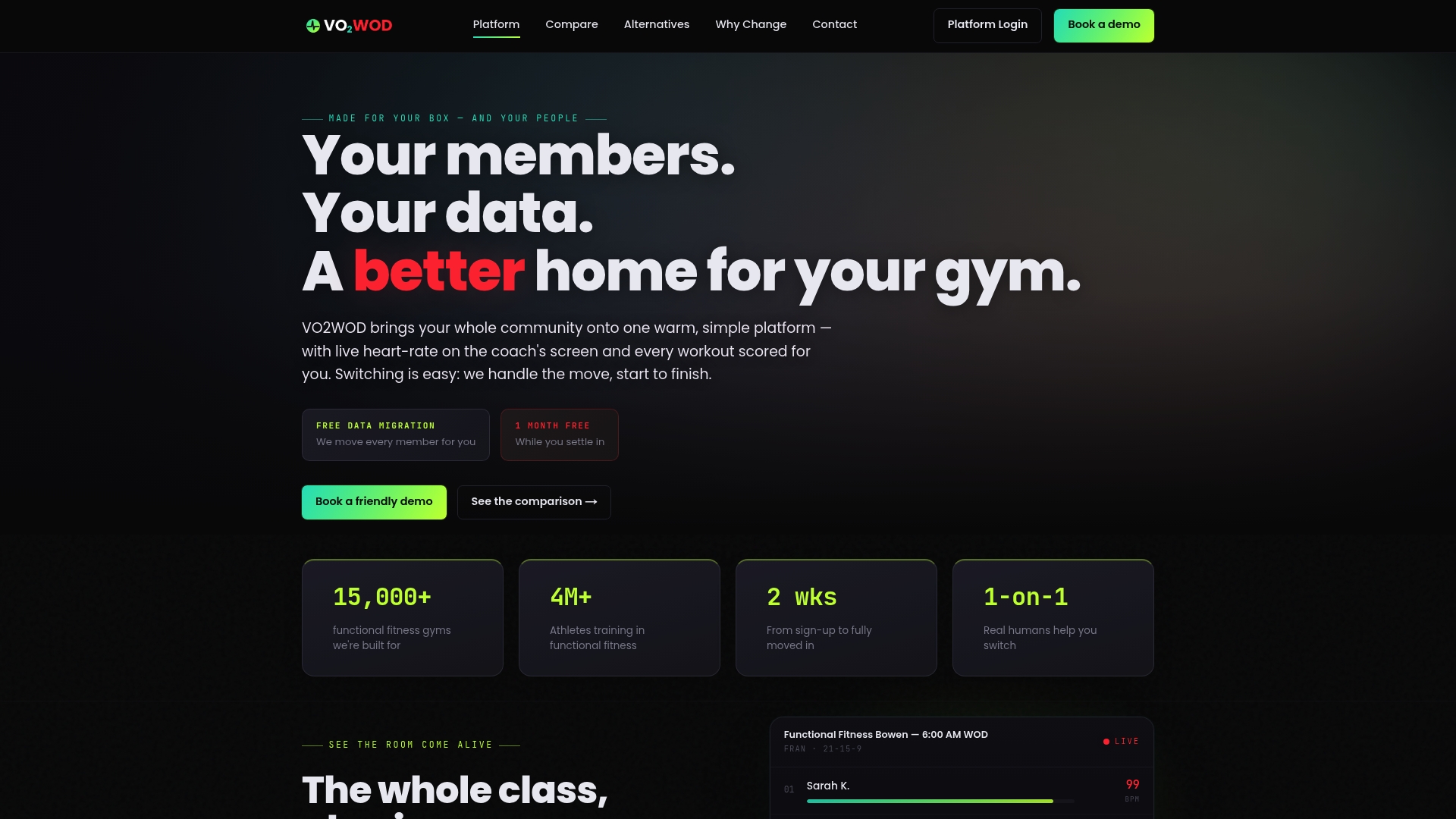
Most of what makes a migration stressful is the manual labor: exporting, mapping, cleaning, and re-checking thousands of rows while still running classes. Certain gym management platforms remove that labor from your plate entirely by providing free data migration, a trial period to test the system with real member data, and a dedicated onboarding specialist who owns the technical handoff from your old platform.
Before you commit to any vendor, functional fitness or otherwise, ask three questions: which export formats do they support (CSV, API, SFTP), what's the realistic timeline for a full migration given your member count, and what verification steps confirm nothing was lost or altered in transit. If a vendor can't answer all three clearly, that's worth noting.
Vo2wod's migration and setup process is built around biometric tracking and automatic workout scoring, so your members' heart rate history and PRs land somewhere designed to keep using them, not just store them. Compare how it stacks up against other functional fitness platforms or check the hardware integration options if your gym runs in-class heart rate monitors. When you're ready, request migration help directly through the site and a specialist will walk you through the first steps.
Where to Read the Official Rules and Guidance
- FTC Health Breach Notification Rule — full compliance requirements and penalty structure
- NIST SP 1800-25/26 data integrity guides — practical logging and backup frameworks
- HHS OCR HIPAA Security Rule enforcement example — real-world case on risk analysis and safeguards
This article is general information, not a substitute for advice from a qualified doctor. Consult a qualified healthcare professional about your own circumstances before acting on anything here.
Sources
- Complying with the FTC’s Health Breach Notification Rule — FTC
- NIST: Data integrity practice guides (SP 1800-25/SP 1800-26)
- OCR settles HIPAA Security Rule investigation — HHS
FAQ
How long does it take to migrate workout history?
Most gyms can complete a vendor-assisted migration within one to three weeks, depending on how many years of records need cleaning and how quickly your old provider delivers exports. Dedicated support teams handling the mapping work directly may typically shorten the migration window compared to a self-managed export.
What happens if some workout data can't be imported?
Fields that don't map cleanly to the new platform's schema should be archived as PDF or CSV attachments and shared with the affected members, rather than dropped silently. This preserves the member's full record even when the new system's structure differs from the old one.
Is workout and heart rate data legally protected during migration?
It can be, depending on how it's collected and stored. The FTC's Health Breach Notification Rule may apply to apps and platforms holding sensitive health data, and gyms syncing wearable or API data should review their exposure using the FTC's assessment tool before assuming they're exempt.
Does Vo2wod charge for data migration?
No. Vo2wod includes free data migration along with one month of complimentary access and a dedicated onboarding specialist, a detail worth confirming directly through the Vo2wod site since offerings can evolve.
What should we test before going fully live on a new platform?
Run a staged import of a small representative group first, then check record counts, spot-check individual workout histories, confirm payment tokens carried over, and review what members actually see in the app. Keep an immutable backup and a tested rollback path in case the full import reveals errors the sample missed.