
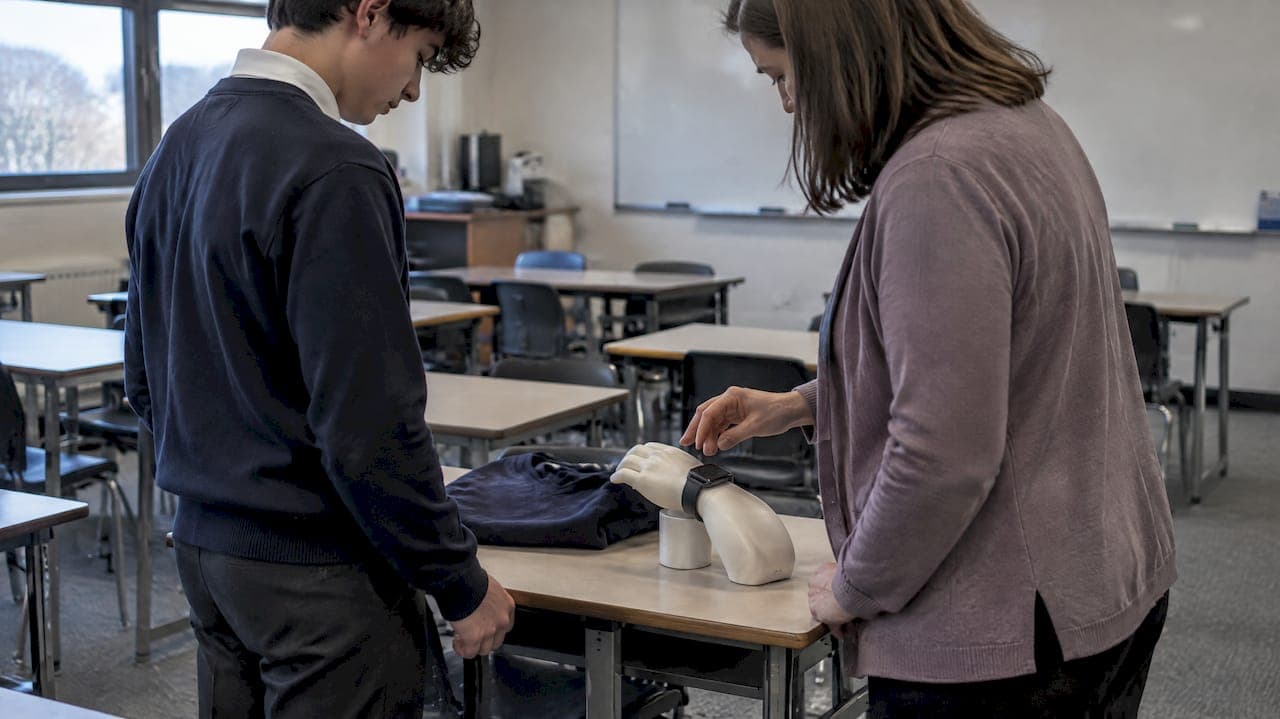
Allow students to wear smartwatches and other personal wearables during class, but require silent mode, no notifications, and no recording unless a teacher authorizes it for a specific lesson. Always permit verified medical devices without question. Below, we break this into a quick checklist, grade-level rules, privacy guidance, and sample policy language you can adapt for your handbook or board proposal.
TL;DR:
- Elementary students should not use interactive features during lessons; students in grades 6 through 12 may use them at lunch, during passing periods, or when a teacher approves.
- Treat wearable data retained by a school as education records; store files on district systems and review connected apps with administration before classroom use.
- Families should verify medical devices privately through a doctor’s note, IEP, or 504 plan, with access limited to staff who need the information.
- Use reminders first, store devices until class ends after repeat violations, and reserve parent pickup for further cases; some districts allow seven days for retrieval.
Table of Contents
- Quick checklist for posting classroom wearable rules
- What counts as allowed versus prohibited device use
- How recordings and wearable data intersect with FERPA and COPPA
- Accommodating medical wearables without exposing private details
- Enforcement steps that keep discipline low-key
- Building buy-in before the policy goes to the board
- Sample clauses you can adapt for your handbook
- Fitting wearable rules into your existing BYOD policy
- Protecting student data collected through classroom wearables
- Why consistency matters more than strictness
- Managing consent and opt-in wearable data once your policy is in place
- FAQ
- Sources
Quick checklist for posting classroom wearable rules
A short, visible checklist helps students, families, and substitute teachers follow the same rules without guesswork. Post it near the classroom door or include it in the syllabus.
- Wearables may be worn in class, but must stay in silent mode with all notifications and communication features turned off.
- Students may use interactive features only when a teacher has authorized the activity in advance.
- Elementary students may wear devices but should not use any interactive function during lessons.
- Middle and high school students follow a bell-to-bell rule: no use during instruction except for approved curricular tasks or during passing periods and lunch.
- Verified medical devices are always permitted, and families should notify the school privately rather than announcing the condition to the class.
- Recording audio or video is prohibited unless a teacher directs the activity and documents its purpose.
- A confiscated device goes into secure storage and is returned according to the timeline described in the enforcement section below.
These checklist items cover many day-to-day questions before they turn into disputes.
What counts as allowed versus prohibited device use
Not every feature on a smartwatch raises the same concern, so it helps to separate "interactive" functions from passive health tracking. Interactive features include phone calls, text messages, two-way messaging apps, and anything that lets a student communicate with someone outside the room. Passive health tracking covers step counts, heart rate display, and similar readouts that a student can glance at without interacting with anyone else.
The safest default setting is airplane mode or silent mode with notifications disabled and the camera function turned off. Teachers can require this at the start of class the same way they'd ask students to put away a phone, and most watches allow a quick toggle that is easy to check.
- Interactive features (calls, texts, two-way apps): off during instruction, always.
- Passive health tracking (steps, heart rate): generally fine to leave running since it doesn't interrupt the room.
- Camera and microphone: disabled unless a teacher has approved recording for a specific assignment.
- Notifications and vibration alerts: off, since even a silent buzz pulls attention away from the lesson.
When a teacher wants to use a wearable feature for instruction, such as having students check heart rate during a fitness unit or timing an activity, a short written note in the lesson plan documenting the purpose keeps the exception consistent and easy to explain if a parent asks.
Pro Tip: Ask students to show you the watch face before a quiz or test so you can confirm notifications are off, the same way you'd check that a phone is out of reach.
How recordings and wearable data intersect with FERPA and COPPA
Once a recording or data file from a wearable gets kept by the school, it becomes an education record, and that status brings FERPA protections with it. The SPPO Back to School guidance confirms that FERPA protects education records maintained by schools and requires proper handling and disclosure practices, while PPRA gives parents rights around certain surveys and instructional materials. That means a video a teacher records for a lesson and then stores on a school device is treated differently than a student's casual recording on a personal watch.
A student or staff recording of another person in class should never happen unless a teacher directs it for a curricular purpose and the resulting file is retained under the district's FERPA procedures. This single rule closes most of the gray area around wearable cameras and microphones.
- Prohibit student-initiated recording of classmates or staff in any setting covered by the policy.
- Permit teacher-directed recording only when tied to a specific assignment, with the purpose documented in advance.
- Store any retained recording according to the district's existing education-records procedures, not on a personal device.
- Treat any wearable-collected data kept by the school, including heart rate logs from a fitness unit, as an education record subject to the same handling rules.
Third-party apps complicate this further. When a wearable connects to an app or cloud service outside the district's own systems, the FTC's Policy Statement on Education Technology makes clear that providers cannot condition a student's participation on unnecessary data collection and must limit use and retention of children's data to educational purposes with reasonable security protections. Before any class activity asks students to connect a personal wearable to an app, check that the vendor's terms match this standard, and confirm with district administration whether the tool needs a FERPA-compliant agreement. The Protecting Student Privacy FAQ advises teachers to check with administration before using any application that collects student personally identifiable information, since apps that pull data from education records must meet FERPA's outsourcing and direct-control conditions.
Accommodating medical wearables without exposing private details
Students with diabetes, heart conditions, seizure disorders, and other needs often rely on wearables that monitor vital signs continuously, and a blanket "no watches" rule can create a real safety problem. The goal is a process that confirms the device is approved without making a student explain a private medical condition in front of classmates.
- Set up a private "device use summary" shared only with the teachers and staff who need to know, so they can recognize an approved device without seeing the underlying diagnosis.
- Require documentation such as a doctor's note, an IEP, or a 504 plan before adding a device to the summary, and store that paperwork with the school nurse or designated administrator rather than in a general file.
- Route all verification requests through one office so families don't have to repeat the explanation to each new teacher.
- Review the summary at the start of each term or whenever a student's schedule changes.
Standardized testing adds another layer. A student who needs a continuous glucose monitor or similar device during a state assessment may require a documented accommodation plan, and some testing protocols call for small-group administration so the device doesn't raise questions of fairness among other test-takers. Coordinate this with your testing coordinator well before test day rather than scrambling the morning of the exam.
Enforcement steps that keep discipline low-key
A predictable, low-drama enforcement sequence keeps minor wearable issues from turning into bigger classroom disruptions. A staged approach can address a first offense and escalate only when the behavior repeats.
- Verbal reminder. The teacher asks the student to silence or stow the device, with no further consequence if the student complies right away.
- Temporary confiscation. On a repeat issue in the same class period, the device goes into a designated bin or drawer until the end of the period, then is returned directly to the student.
- Office storage with parent pickup. For repeated offenses, the device is sent to the school office, logged, and held for a parent or guardian to retrieve, following the same chain-of-custody steps the school already uses for phones.
Secure storage matters here. A locked drawer or office safe with a simple sign-in log keeps the process defensible if a parent later asks what happened to the device. Some districts, including the one outlined in Policy 3740, use a seven-day retrieval window for confiscated devices before deciding on further disposition, paired with clear chain-of-custody practices.
A short incident report, even a single form with the student's name, date, device type, and the specific rule violated, saves time if a pattern develops across multiple classes. Keeping the confiscation itself quiet, rather than making an example of the student in front of peers, also reduces the chance of a minor rule violation becoming a bigger behavior incident.
Building buy-in before the policy goes to the board
A wearable policy works best when the people who have to follow it helped shape it. Research on classroom device policies finds that restrictions paired with media literacy instruction and stakeholder input tend to improve classroom engagement more than a rule imposed from above, and that many districts have adopted similar restrictions specifically to reduce distraction while preserving curricular exceptions.
- Convene a short review group with one or two student representatives, a few parent volunteers, and several teachers before finalizing any language.
- Open a public comment period, even a brief one, so families can flag concerns before the board votes.
- Send an annual notice explaining the privacy protections in place and how a parent can request a medical accommodation.
- Publish the final policy in the handbook and on the district website in plain language, not legal jargon.
A realistic rollout might move from draft to stakeholder consultation, board review, and publication, followed by periodic check-ins to see what's working.
Pro Tip: Ask your student representatives to review the draft checklist out loud in a classroom setting before adoption. If they stumble explaining a rule, a teacher will too.
Sample clauses you can adapt for your handbook
These clauses are starting points, not finished legal language. Have district counsel review any version before it goes into a handbook or board policy.
Allowed use (bell-to-bell, all grades):
Students may wear personal wearable devices during the school day. During instructional time, devices must remain in silent mode with notifications and communication features disabled. Interactive use is permitted only when directed by a teacher for a specific instructional purpose.
Elementary variant:
Elementary students may wear personal wearable devices but may not use interactive features (calls, messaging, cameras) during the school day without staff direction.
Secondary variant:
Students in grades 6 through 12 may use wearable devices for interactive features only during passing periods, lunch, or when a teacher has approved a specific curricular use.
Medical accommodation clause:
A student with a documented medical need for a wearable device, verified through a physician's note, IEP, or 504 plan, may use the device as needed for health monitoring. Verification is maintained by [designated office] and shared with instructional staff only as necessary to support the student's safety.
Parental notice summary:
This policy allows students to wear personal devices during the school day under specific conditions designed to limit classroom disruption and protect student privacy. Recordings or data retained by the school are handled under our student records procedures. Parents may request a medical accommodation or appeal an enforcement decision by contacting [office/contact].
Districts that want a fuller model to work from can look at examples like the Arlington School Board's draft policy on personal electronic devices, which spells out teacher-authorized curricular uses and storage procedures for confiscated devices, or sample board language that explicitly defines personal electronic communication devices to include smartwatches.
Fitting wearable rules into your existing BYOD policy
Most districts already have a Bring Your Own Device policy covering laptops, tablets, and phones, and a wearable policy should sit inside that framework rather than as a standalone document. Add a short section to the existing BYOD policy that defines "personal wearable device" explicitly, since a smartwatch often gets overlooked in language written with phones and laptops in mind.
Keep the enforcement language consistent across device types. If a phone gets a verbal warning on first offense, a smartwatch should follow the same sequence rather than a stricter or looser one, since students will notice an inconsistency immediately. The same applies to confiscation and storage procedures: one process for all personal devices is easier for staff to remember and easier for families to understand.
Where your BYOD policy already addresses network access, acceptable use, and device registration, extend those same sections to cover wearables rather than writing parallel rules. A single cross-reference ("see Section X for device use and enforcement procedures") keeps the handbook shorter and avoids contradictions between an older phone policy and a newer wearable addition. Review both sections together whenever either one comes up for renewal so they don't drift apart over time.
Protecting student data collected through classroom wearables
Any time a wearable captures data in a classroom setting, whether that's a heart rate reading during a PE unit or step counts for a health class project, that data deserves the same handling care as a grade or attendance record. Store it on district-managed systems rather than personal apps whenever a lesson requires students to log or share wearable data for a grade.
Before adopting any wearable-linked app for instructional use, confirm the vendor's data practices meet the standard described earlier under the FTC's education technology guidance, and loop in your technology or privacy officer rather than letting an individual teacher sign up independently. A short vendor checklist, covering what data is collected, how long it's retained, and whether it's shared with third parties, takes a few minutes to complete and avoids a much longer cleanup later. Districts building out consent and retention language from scratch can look to general frameworks like this privacy-first guide to data collection for a model of how to document data use clearly, even though it's written for a different industry.

Limit access to wearable-collected performance data to the staff who need it for instruction or safety, the same way you'd limit access to a student's grades. Delete or archive the data on a defined schedule rather than keeping it indefinitely by default.
Why consistency matters more than strictness
The districts that struggle most with wearable rules aren't the strict ones or the lenient ones. They're the ones that enforce the policy differently from classroom to classroom. A student who gets a warning from one teacher and a confiscation from another for the identical behavior stops trusting the rule entirely, and that's where real compliance problems start.
Equity matters here too. A rule that works smoothly for a student with a quiet, understanding home environment can land very differently for a student relying on a medical device or navigating a 504 plan, so build in the private verification process from the start rather than bolting it on after a complaint.
Treat the sample clauses in this guide as a starting draft, not a final document. Local review by district counsel, particularly around FERPA and any state-specific student privacy laws, should happen before adoption.
— Marcus
Managing consent and opt-in wearable data once your policy is in place
Once a board has adopted a wearable policy, the next question is usually practical: how do you actually track which students are approved for what, and who opted into which curricular wearable use? We built VO2WOD as management software for functional fitness gyms, with heart-rate tracking and automatic workout scoring.
- Keep the technology layer separate from the policy decision: data use only happens where your board has already approved it.
If your PE or athletics program is exploring how heart rate tracking might support a specific unit once your wearable policy is adopted, our team can discuss VO2WOD's hardware-software integration for displaying biometric data during a class session. Reach out through VO2WOD to learn more about the platform once your policy groundwork is set.
This article is general information, not a substitute for advice from a qualified lawyer. Consult a qualified legal professional about your own circumstances before acting on anything here.
FAQ
Can students wear smartwatches during class at all?
Most schools allow wearables to be worn during instructional time as long as they stay in silent mode with notifications and communication features turned off. Interactive use is typically reserved for passing periods, lunch, or specific teacher-approved activities.
Do medical wearables need special permission?
Yes, but the process should stay private: a parent submits documentation such as a doctor's note or an IEP/504 plan, and the school maintains a device use summary shared only with staff who need to know. The student should never have to explain the medical reason to classmates.
What happens if a student records another student with a wearable?
Recording classmates or staff without teacher direction should be prohibited under most device policies, and any recording retained by the school becomes an education record subject to FERPA protections. Teacher-directed recording for a specific assignment is the usual exception.
How long can a school hold a confiscated wearable device?
Timelines vary by district, but some policies use a seven-day retrieval window before deciding on further disposition, as outlined in sample district procedures. Secure storage and a clear sign-in log are standard practice regardless of the exact timeframe chosen.
Do schools need to vet apps that connect to student wearables?
Yes. Any app or service that collects student personally identifiable information should be reviewed by district administration first, since it must meet FERPA's conditions for outsourcing and direct control, according to the Protecting Student Privacy FAQ. The FTC's education technology guidance also requires that data use stay limited to educational purposes.
Sources
- SPPO Back to School DCL August 2026
- Policy Statement of the Federal Trade Commission on Education Technology
- ERIC - EJ1438019 - Fostering Academic Integrity in the Digital Age: Empowering Student Voices to Navigate Technology as a Tool for Classroom Policies, Brock Education: A Journal of Educational Research and Practice, 2024
- PROCEDURE - Policy 3740