

Yes, membership billing automation is the right approach for membership organizations. Require automated failed-payment recovery, proration-friendly handling of mid-cycle changes, member self-service payment updates, and a documented billing-state model before you sign with any provider. These four capabilities determine whether your gym or membership business collects the revenue it has already earned or quietly leaks it through preventable churn. The sections below cover the workflows, testing steps, and compliance rules that make automation actually work.
TL;DR:
- Automated failed-payment recovery should include smart retries, member self-service update links, and avoidance of repeated efforts on hard declines.
- Testing must cover billing states, integrations, retry schedules, proration, and mid-cycle changes to prevent member lockouts or billing errors after launch.
- Compliance requires clear disclosure of material terms, easy online cancellation, and proper documentation of consent and cancellation flows.
- Platform choice should prioritize solutions that support operational realities like account freezing, upgrades, and synchronized check-in with billing.
- Pricing models vary but focus on platforms offering recovery, self-service portals, and integrations that reduce churn cost-effectively rather than just low initial fees.
Table of Contents
- What to require from membership billing automation
- Core automated billing workflows: retries, dunning, and lifecycle sync
- Implementation checklist and testing plan before launch
- Compliance and consent essentials for automated billing
- How VO2WOD maps to the buyer checklist
- What membership billing automation actually costs
- How long implementation typically takes
- Evaluation criteria and questions to ask vendors
- Common pricing models and cost components
- Red flags when choosing a vendor
- Practical trade-offs and a recommended rollout approach
- VO2WOD: a gym-built path to billing automation
- Sources
- FAQ
What to require from membership billing automation
Not every billing platform built for subscription businesses understands the operational reality of a gym or membership organization: members freeze accounts, upgrade mid-month, and expect front-desk staff to see the same account status the payment system sees. Before you evaluate vendors, use this checklist to separate general-purpose billing tools from ones that will hold up under daily use.
- Recurring billing flexibility: support for multiple cadences, prorated charges, and plan variants like family or corporate add-ons.
- Automated failed-payment recovery: smart retries, dunning emails, and a link members can use to update their card themselves.
- Mid-cycle change handling: upgrades, downgrades, plan swaps, bundled offers, and co-term management that don't require a manual invoice fix.
- Member self-service: a hosted portal or secure payment page where members update cards and manage their own subscriptions.
- Integrations: connections to CRM, scheduling, access control or check-in systems, accounting, and reporting tools.
- Reporting and analytics: dashboards showing recovery rate, churn broken out by failure cause, and revenue leakage.
- Operational support: sandbox testing environments, data migration help, and support backed by clear service commitments.
Buyers evaluating fitness-management software consistently rank membership and recurring-payment management alongside flexible payment options, renewal reminders, and CRM automation as top priorities, which tracks with what actually breaks in day-to-day gym operations: a missed renewal reminder or an unhandled proration turns into a support ticket, and support tickets turn into cancellations. A vendor that treats these as edge cases rather than core features will cost you more in staff time than it saves in subscription fees.
Core automated billing workflows: retries, dunning, and lifecycle sync
A billing platform's real value shows up in how it handles the moment a charge fails, not in its dashboard. The standard recovery flow looks like this:
- Detect the failed renewal at the scheduled billing date.
- Classify the failure as soft (insufficient funds, temporary decline) or hard (expired card, closed account, fraud flag).
- Retry recoverable failures on a configured or adaptive schedule.
- Notify the member with a message that includes a secure link to update payment details.
- Escalate unrecoverable cases to a pause, access restriction, or cancellation per your membership policy.
Stripe's documentation on revenue recovery describes this exact sequence, built around Smart Retries, automated emails, and hosted update pages rather than manual follow-up. Smart Retries adjust timing based on the likelihood a specific type of failure will resolve itself, which tends to outperform a fixed schedule that retries every card on the same day regardless of why it failed. Stripe's Smart Retries documentation notes that retry policies can be customized across time windows, and some contexts support up to three attempts under a configured schedule.
Card failures and ACH or direct debit failures behave differently, and your platform needs to know the difference. A hard decline on a card, such as an expired card, is not recoverable by retrying the same payment method: the system needs to prompt for a new one immediately rather than burn through retry attempts, since Stripe notes that hard declines require a new payment method rather than repeated charging. Bank transfers typically take longer to fail and to retry, so a one-size-fits-all schedule built for cards will mishandle them.
Webhooks tie the whole system together. When a charge succeeds, fails, or gets disputed, that event needs to update member access, sync to your CRM, and generate the right invoice or credit memo without a staff member touching three separate systems.
Pro Tip: Never ask a member to reply to an email with card details; always route them to a tokenized, hosted update page.
Implementation checklist and testing plan before launch
Rolling out billing automation without a testing phase is how gyms end up with members locked out of classes they paid for, or worse, members still getting charged after they canceled. Work through this sequence before going live:
- Document your billing states and the action tied to each one: trial, active, past due, grace period, paused, canceled, and refunded.
- Set retry schedules and dunning sequences, then run them against sandbox scenarios that mimic real failure patterns.
- Test mid-cycle scenarios, including upgrades, downgrades, proration math, and billing alignment for add-ons or bundles.
- Verify every integration, from CRM sync and accounting exports to check-in and access gating and reporting feeds.
- Migrate historical data with consent records intact, and test both rollback and reconciliation before cutting over.
- Establish ongoing monitoring, including recovery-rate tracking, support response commitments, and a dashboard for involuntary churn.
Stripe recommends testing upgrades, proration, expired cards, duplicate webhooks, refunds, and cancellations before any billing system goes live, and for good reason: these are the scenarios most likely to slip through when a team is focused on the happy path. A documented billing-state model that ties each state to a specific billing action, access rule, and notification template cuts down on the ad hoc fixes that come from staff improvising when a member's account doesn't match what the front desk expects to see.
Compliance and consent essentials for automated billing
Automation moves fast, and fast is exactly where compliance problems start. The FTC's finalized click-to-cancel rule sets clear expectations for any business running recurring billing, and it applies to membership organizations the same way it applies to subscription boxes or streaming services.
- Disclose material terms before collecting billing details, and keep proof that the member gave informed consent.
- Offer a simple, same-medium cancellation path: if someone signs up online, they need to be able to cancel online, and the cancellation has to stop charges immediately.
- Loop in legal and support teams when designing retry and dunning sequences so persistence never crosses into a deceptive practice.
- Keep documented records of cancellation flows and consent capture in case of an audit or inquiry.
Convenience for your operations team is not a substitute for transparency toward members. A retry sequence that quietly resumes billing after a member thought they canceled is exactly the kind of pattern regulators are targeting.
How VO2WOD maps to the buyer checklist
VO2WOD covers the core of this checklist directly: membership billing, recurring payments, and proration sit alongside check-in sync, reporting, and CRM in one platform rather than as bolted-on integrations. Because access control and billing live in the same system, a past-due account can restrict check-in automatically instead of relying on staff to cross-reference two dashboards.
The platform also includes free data migration, one month of complimentary service, and a dedicated support team for gyms making the switch, which shortens the testing and onboarding phase that generic billing tools leave entirely on your staff; this level of automation and chatbot support for fitness centers can further enhance your operations.
What membership billing automation actually costs
Pricing for membership billing automation typically follows one of two models: a flat monthly platform fee, or a percentage-based transaction fee layered on top of payment processing costs. Vertical platforms built for gyms and membership businesses tend to bundle billing into a broader subscription that also covers scheduling, CRM, and check-in, while general-purpose payment platforms often charge separately for processing and for recovery or dunning features.
The real cost comparison isn't just the sticker price. A cheaper tool that lacks automated recovery can cost more in lost revenue from involuntary churn than a pricier platform that recovers a meaningful share of failed payments automatically. Factor in implementation time, staff hours spent reconciling manual exceptions, and the cost of any add-on modules for reporting or CRM sync that aren't included in the base price. Ask any vendor for a full breakdown of platform fees, transaction fees, and the cost of features like Smart Retries or hosted update pages before comparing quotes side by side.
How long implementation typically takes
Most membership organizations can expect a phased rollout rather than a single cutover. The first phase, documenting your billing-state model and current failure patterns, usually takes the longest because it forces you to formalize policies that may have lived informally in a staff member's head.
Once states and policies are documented, configuring retry schedules, dunning sequences, and integrations in a sandbox environment is comparatively quick, especially with a platform that includes migration support. The testing phase, covering upgrades, proration, expired cards, and webhook behavior, should not be rushed even under pressure to launch, since errors caught here are far cheaper than errors caught after members start seeing incorrect charges. A phased pilot focused on a high-value segment and common failure modes like expired cards or insufficient funds tends to surface problems faster than attempting a full-scope rollout on day one.

Evaluation criteria and questions to ask vendors
Beyond the feature checklist, a handful of direct questions separate vendors that will hold up from ones that will create work later.
Ask how retry logic is configured: is it a fixed schedule, or does it adapt based on failure type the way Smart Retries does? Ask what happens automatically when a hard decline occurs, since a platform that keeps retrying an expired card rather than prompting for a new one will frustrate members and waste attempts. Ask whether the platform supports a documented billing-state model out of the box, or whether you'll need to build that logic yourself. Ask what reporting exists for recovery rate and churn by failure cause, since a platform without this visibility makes it hard to know if automation is actually working. Finally, ask what migration and onboarding support looks like, since a system that requires you to rebuild your member data by hand adds weeks to a rollout that should take days.

Common pricing models and cost components
Membership billing automation pricing generally breaks down into a few components you should expect to see itemized separately. A base platform fee covers the software itself, often tiered by member count or feature set. Payment processing fees, charged as a percentage of each transaction plus a fixed amount, come either bundled into the platform fee or billed separately by a third-party processor. Recovery and dunning features, including Smart Retries and hosted update pages, are sometimes included and sometimes sold as an add-on module. Integration costs, particularly for CRM, accounting, or access control connections, can also carry setup fees depending on the vendor.
Watch for vendors that quote a low headline price but charge extra for the features that actually reduce churn, since recovery tools and self-service portals are where the operational value lives.
Red flags when choosing a vendor
A few warning signs tend to predict a rough implementation. A vendor that can't clearly explain its retry logic or describe how it handles hard declines versus soft declines likely hasn't built a mature recovery system. A platform with no sandbox or test environment forces you to test changes on live member accounts, which is how billing mistakes reach real customers. Vague answers about data migration, or a migration process that requires your staff to manually re-enter member records, signal a longer and more error-prone rollout. A vendor that can't produce documentation on how it supports click-to-cancel or consent record-keeping is a compliance risk you'll inherit. Finally, be cautious of any platform that bundles reporting and recovery analytics only in its most expensive tier, since that's exactly the data you need to know if automation is paying off.
Practical trade-offs and a recommended rollout approach
Pilot automation on your highest-value membership segment first and measure recovery before rolling it out everywhere. Payments-first platforms offer more configuration depth, but vertical, gym-focused platforms save integration time by handling access control and billing together. The most common mistakes are skipping full sandbox testing, shipping a confusing cancellation flow, and losing consent records during migration.
— Marcus
VO2WOD: a gym-built path to billing automation
Switching to a platform built specifically for functional fitness gyms means membership billing, proration, check-in sync, and reporting live in one system instead of three stitched together. VO2WOD includes:
- Recurring billing and proration handled alongside scheduling and access control
- Free data migration and one month of complimentary service for gyms switching over
- A dedicated support team throughout onboarding
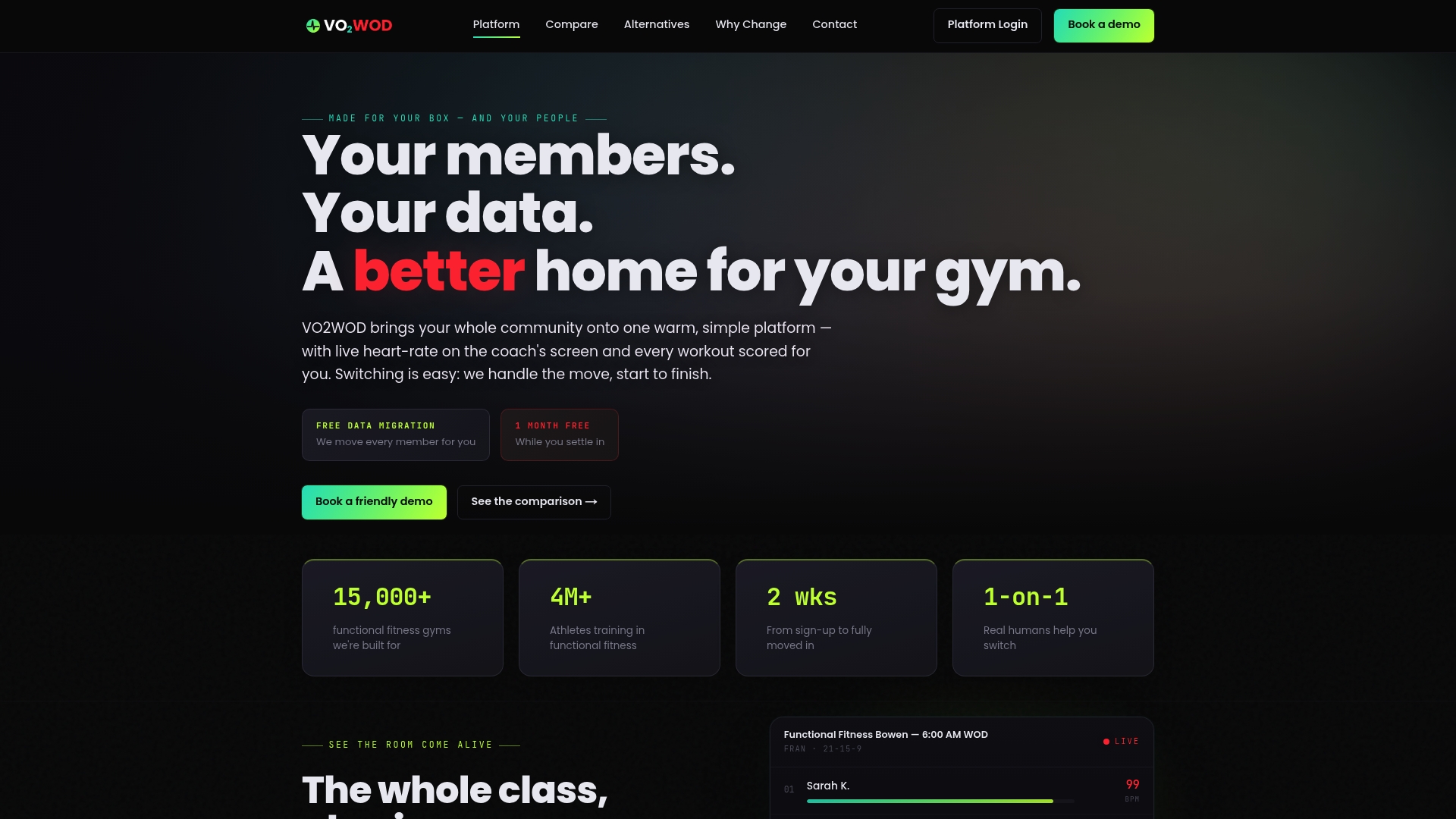
If your current setup means chasing failed payments by hand or reconciling three tools every morning, see how VO2WOD handles it in one place, or compare it directly against other functional fitness gym software before you switch.
Sources
- Federal Trade Commission — Final click-to-cancel rule announcement
- Stripe Docs — Billing: revenue recovery
- Public comment / regulatory submission referencing Stripe recovery workflows
FAQ
What is the best subscription billing platform?
The right platform depends on your business: general-purpose payment platforms like Stripe offer deep configuration for recovery and retries, while vertical platforms built for gyms and membership businesses bundle billing with scheduling and access control. For a membership organization, the better question is whether the platform documents a clear billing-state model and automates recovery, proration, and self-service updates.
How do you automate a billing process?
Automating billing starts with mapping your billing states, from trial through active, past due, and canceled, then configuring automated retries, dunning emails, and self-service payment update links for failed charges. Integrations with CRM, access control, and accounting keep member status consistent across every system without manual updates.
Can you use AI for billing?
Adaptive retry systems, sometimes described as AI-driven, adjust retry timing and frequency based on the likelihood a specific failure will resolve, which Stripe implements through its Smart Retries feature. This differs from a fixed retry schedule that treats every failed charge the same way regardless of cause.
What are the three types of billing methods?
Common billing methods include fixed recurring billing (a flat fee on a set schedule), usage-based billing (charges tied to consumption or activity), and prorated or hybrid billing that adjusts charges for mid-cycle plan changes. Membership organizations most often rely on fixed recurring billing with prorated adjustments for upgrades or downgrades.
Does VO2WOD handle membership billing automation?
The software includes recurring membership billing and proration alongside check-in, scheduling, and reporting in one platform. It also offers free data migration and a dedicated support team for gyms transitioning from another system.