
Gyms that win at member messaging automate the routine touches and save humans for the moments that make or break a membership. Set up trigger-based sequences for trial-to-first-visit, day-7 onboarding, and payment failures this week. Route cancel intent, complaints, and milestones straight to a staff member. Some platforms can run both halves without extra headcount.
TL;DR:
- Focus on automating messaging for trial visits, no-shows, payment failures, member milestones, and cancel intent, as these moments influence most retention and revenue.
- Use structured signals like attendance and billing status, along with unstructured signals such as cancel reasons or staff notes, to trigger timely, relevant messages.
- Match messaging channels to the desired response: SMS and WhatsApp for quick replies or bookings, email for long-form information, and in-app pushes only if engagement is high.
- Always route emotionally charged issues like cancel intent and complaints to a human, ensuring staff can personally address sensitive situations and maximize member retention.
- Roll out automation iteratively in three phases over 90 days, starting with core triggers and gradually adding more signals, personalization, and conversational tools to optimize results.
Table of Contents
- What Are the Highest-Payoff Messaging Moments to Automate First?
- Which Signals Should Trigger a Message, and How Do You Map Them?
- Which Channel Should You Use for Each Message?
- Which Messages Should Always Go to a Human?
- How Do You Roll Out Messaging Automation in 90 Days?
- How Do You Know if Gym Messaging Is Actually Working?
- What Gym Owners Get Wrong About Messaging Automation
- How VO2WOD Puts This Chassis to Work for Your Gym
- Sources
- FAQ
What Are the Highest-Payoff Messaging Moments to Automate First?
Not every touchpoint deserves the same effort. A handful of lifecycle moments drive most of your retention and revenue impact, and they're the ones worth automating first.
Start with this list and build outward:
- Trial booked: send a trial-to-first-visit nudge with logistics (parking, what to wear) plus a quick coach introduction.
- Day 5, no show yet: one low-pressure message suggesting a specific class time, not a generic "come on in."
- Payment failure: a dignity-first retry sequence, email plus a short message, that never shames the member.
- Visit drift (10 to 14 days since last check-in): acknowledge the gap honestly and offer two or three class options.
- First milestone hit: a recognition message immediately, with an optional human follow-up call for bigger wins.
- Cancel intent: capture the reason in the member's own words, route to a human fast, then schedule win-back touches at day 14, 60, and 180.
Get these six right and you've covered the majority of moments where a message actually changes behavior, according to the 90-day retention framework that many operators build their onboarding calendars around.
Which Signals Should Trigger a Message, and How Do You Map Them?
Effective messaging runs on a four-layer setup: signals, triggers, channel routing, and human handoff. This is the operator chassis model, and it works because it separates "what happened" from "what we say" from "who says it."
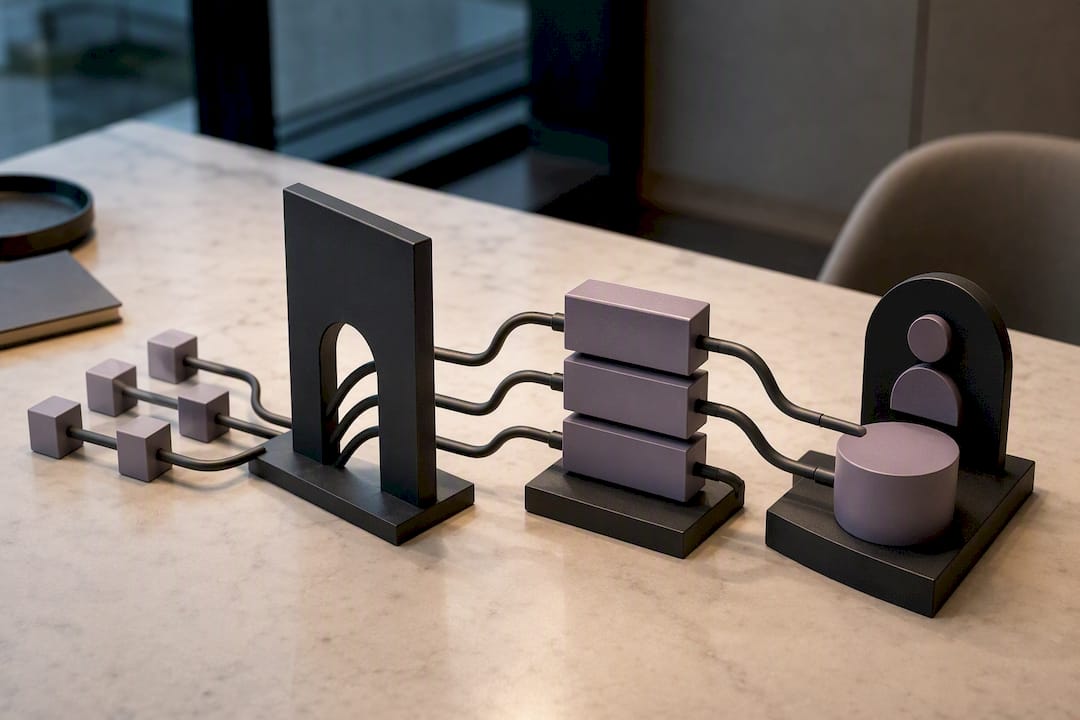
Structured signals are the easy ones: attendance counts, booking behavior, payment status, and membership stage. Your software already tracks these. Unstructured signals are harder but often more predictive. Chat replies, a cancel reason typed into a form, or a front-desk note that a member seemed frustrated. Churn intent frequently shows up in these unstructured fields before it ever appears in an attendance drop, per that same operator chassis research.
Here's a trigger map you can adapt directly:
| Trigger condition | Signal type | Default channel | Handoff needed? |
|---|---|---|---|
| No booking in 10 days | Structured (attendance) | SMS | No |
| Payment declined twice | Structured (billing) | Email + SMS | No |
| Cancel reason submitted | Unstructured (form text) | Internal alert | Yes, immediate |
| first milestone hit | Structured (attendance count) | In-app push | Optional |
| Front-desk note: "seemed upset" | Unstructured (staff note) | Internal alert | Yes, same day |
Fill in your own thresholds. A CrossFit box with three visits a week has a different drift window than a once-weekly yoga studio.
Which Channel Should You Use for Each Message?
Pick the channel based on what you need back from the member, not what's easiest to send.
If you need a reply or a booking decision, use messaging (SMS or WhatsApp), not email. If you're sending a receipt, a policy update, or anything long-form, email wins because members expect to scroll and reference it later. In-app push only works if adoption is already high. Sending push notifications to a gym where half your members haven't opened the app in a month is a waste of a good trigger.
Match message shape to channel:
- One-line logistics SMS: "Your trial starts Thursday at 6pm. Park in Lot B, ask for Coach Dana."
- Coach intro on WhatsApp: short, personal, ideally a voice note if your coach is comfortable with it.
- Two-line payment email: state the problem, give one clear button to fix it. No guilt, no fine print in line one.
Channel habits also vary by region. WhatsApp dominates two-way conversations in many European boutique markets, while SMS and email remain the default in the US. Check where your members actually respond before standardizing on one channel.
Pro Tip: Keep a 4-hour response window on any message that asks a question. If nobody answers a member's reply within that window, the automation loses credibility fast, and members stop replying at all.
Template hygiene matters more than people think. Use personalization tokens (first name, last visit date, coach name) sparingly but correctly, and if you're using WhatsApp's Business API, review its messaging policy before scaling template sends. A tool like AI-assisted content generation can help you draft message variants faster, but a human still needs to check tone before anything goes live.
Which Messages Should Always Go to a Human?
Automation should never touch these four moments:
- Cancel intent: a bot cannot save a membership, but a coach who knows the member's name and history sometimes can.
- Complaint resolution: anything emotionally charged needs a person, immediately.
- Milestone celebration: the automated message can fire first, but a real "nice work" from a coach lands differently.
- High-LTV upsell: your best members deserve a conversation, not a template.
When automation escalates, the handoff needs real substance: the last few messages exchanged, recent attendance pattern, the cancel reason if one was given, and a suggested next action so staff aren't starting cold. Create a ticket, ping the assigned coach, and set an SLA. Most gyms do fine with a 24 to 48 hour response window for non-emergency escalations. Anything involving a cancel request should move faster than that.
How Do You Roll Out Messaging Automation in 90 Days?
Build this in three phases instead of trying to launch everything at once.
- Phase A (weeks 1 to 2): Connect your data feed, turn on three triggers only (trial-to-first-visit, day-7 check-in, payment failure), and test each sequence on a handful of real members. Audit every outgoing message for tone and timing before scaling further.
- Phase B (months 1 to 2): Add visit-drift detection and milestone recognition. Start pulling in unstructured signals like cancel-reason text and front-desk notes, even manually at first.
- Phase C (month 3 and beyond): Layer in conversational auto-replies for simple questions, refine your routing rules based on what's actually getting replies, and personalize message timing by member segment.
Before moving to the next phase, run a launch checklist: confirm every trigger fires on the correct condition, confirm handoff tickets actually reach a coach's inbox, and confirm no member gets the same message twice in one week. That last check catches more embarrassing mistakes than any other step. A tight Phase A rollout genuinely can be done in one to two weeks if you resist the urge to automate everything on day one.
How Do You Know if Gym Messaging Is Actually Working?
Track four numbers: reply rate, booking uplift, reactivation rate, and churn change over the first 90 days. Reply rate tells you if your message shape is right. Booking uplift and reactivation rate tell you if the message actually changed behavior, not just got read.
Run a simple A/B test: split similar members into a message group and a no-message control group for two weeks, then compare booking rates between them. Two weeks is usually enough to see a signal without waiting so long you lose the thread on what caused what.
One number matters more than open rates: count how many messages generated an actual booking or a coach conversation, not just a send. Triggered, personalized messaging consistently outperforms broadcast email for reactivation, but only when you're measuring outcomes instead of volume.
- Reply rate (aim to track weekly, not monthly)
- Booking uplift versus a control group
- Reactivation rate for lapsed members
- 90-day churn change after rollout
What Gym Owners Get Wrong About Messaging Automation
Most gyms either automate everything or automate nothing, and both mistakes come from the same root problem: nobody defined which moments are routine and which ones matter. Broadcast-style blasts to the entire roster train members to ignore your texts. Over-automating a milestone message, meanwhile, strips out the one moment a member actually wanted to hear from a real person.
The mistake I see most is skipping unstructured signals entirely because they're harder to capture than a booking count. That's exactly where churn shows up first. Get the first 90 days right, because that window carries more retention leverage than anything you'll do afterward.
— Marcus
How VO2WOD Puts This Chassis to Work for Your Gym
You've just read the blueprint. Some platforms are built to run it without adding staff hours to your week. Such platforms can track attendance and biometric signals in real time, score workouts automatically, and fire in-app messaging around milestones and drift patterns, so Phase A triggers are live from day one instead of built from scratch.
Switching software mid-season is the reason a lot of gym owners put this off. VO2WOD removes that excuse with free data migration and one month of complimentary service while your team gets comfortable. A dedicated support team handles the transition, so your coaches aren't the ones untangling a spreadsheet at midnight.
If you're comparing platforms, see how VO2WOD stacks up against the other functional fitness gym software options on the market. Otherwise, the fastest path forward is straightforward: start your free trial and turn on the three Phase A triggers this week: trial-to-first-visit, day-7 check-in, and payment failure, and watch how your reply and booking numbers move before the trial ends.
Sources
- Gym Member Retention Strategies: The 90-Day Framework — Nutripy
- Boost Gym Retention: Member Engagement Strategies – Gym Membership Tips
FAQ
What Is Member Messaging for Gyms, Exactly?
It's the system of automated and human-sent messages, triggered by member behavior like attendance, payments, or bookings, that keeps members engaged from sign-up through renewal.
Which Messages Should Never Be Fully Automated?
Cancel intent, complaint resolution, milestone celebrations, and high-value member upsells should always route to a staff member, not stay on autopilot.
How Long Does It Take to Set Up Basic Messaging Automation?
A working Phase A rollout, covering three core triggers, typically takes one to two weeks to configure and test properly.
Does SMS Work Better Than Email for Gym Members?
SMS and other messaging channels generally get faster replies for anything needing a decision or booking, while email still works well for receipts and longer updates.
Can VO2WOD Handle Both Automated and Human-Routed Messages?
Yes. VO2WOD combines real-time attendance and performance signals with in-app messaging, so routine triggers run automatically while flagged moments can still reach a coach directly.