

Autopay is the right default for recurring gym memberships, full stop. Use invoicing for one-off purchases, corporate accounts, and custom packages where billing terms shift. Whichever model runs your gym, cancellation has to be as easy as signup, and every authorization needs a paper trail you can produce on demand.
TL;DR:
- Most gyms should default to autopay for recurring memberships to improve retention and reduce staff workload, reserving invoicing for flexible or one-off accounts.
- Automated retry logic, card-update notifications, and member self-service portals are crucial to recover failed payments and prevent involuntary cancellations.
- Invoicing is better suited for corporate accounts, custom packages, and one-time purchases, but it increases staff time and delays revenue collection.
- Proper setup of ACH or card tokenization, clear authorization policies, and compliant cancellation processes are vital to avoid regulatory risks and protect member data.
- Integrating billing with gym management software can significantly reduce revenue leakage and improve cash flow management over multiple payment or invoicing systems.
Table of Contents
- Invoice vs Autopay Gym Billing: A Side-by-Side Look
- How Autopay Works and Where It Breaks Down
- Invoicing and Manual Billing: When Control Is Worth the Cost
- How to Set Up Autopay or Invoicing Without Making a Compliance Mistake
- Fixing Failed Payments Without Losing the Member
- The Legal Rules That Shape Your Billing Design
- Running the Numbers: Fees, Recovered Revenue, and Staff Time
- A Decision Checklist for Choosing Your Billing Model
- What Members Actually Prefer, and Why It Affects Retention
- Where Your Payment Data Actually Lives, and Who Can See It
- Cash Flow and the Reconciliation Workload Nobody Budgets For
- Why Integrated Billing Beats Bolted-On Payment Tools
- A Billing Platform That Doesn't Leak Revenue
- Sources
- FAQ
Invoice vs Autopay Gym Billing: A Side-by-Side Look
An invoice is a bill you send and wait to get paid. Autopay is a standing authorization that pulls payment automatically on a set schedule, whether from a card on file or a linked bank account. The choice between them shapes everything from your front-desk workload to how predictable next month's revenue looks.
Autopay works like this:
- Charges run automatically on a recurring schedule, no member action required after signup.
- Retention improves because members rarely think about the bill, let alone cancel over friction.
- Failed charges are recoverable through automatic retries, rather than a lost payment entirely.
- Staffing impact is low once set up, though someone still needs to own decline follow-up.
- Best suited for standard monthly or annual memberships, class packs on auto-renew, and add-on services like personal training retainers.
Invoicing works like this:
- You generate and send a bill through email, text, or a payment link, and the member pays on their own timeline.
- Control is higher because you can adjust amounts, terms, and due dates per account.
- Late payment risk is built in. There is no guarantee the invoice gets paid on time, or at all.
- Staff time climbs fast, since someone has to track outstanding invoices and chase down stragglers.
- Best suited for corporate wellness accounts, punch cards, merchandise, event fees, and custom coaching packages that don't fit a recurring template.
Most gyms that run a clean operation don't pick one model exclusively. They put every standard membership on autopay and reserve invoicing for the accounts that genuinely need flexible terms, like a corporate partner paying quarterly for 40 employee memberships, or a member negotiating a payment plan after an injury pause. The mistake is defaulting to invoicing out of habit, because it feels like it gives you "more control," when in practice it just means more staff hours spent playing collections agent for a $70 monthly membership.
How Autopay Works and Where It Breaks Down
Autopay setup typically uses one of two rails: card networks (Visa, Mastercard, Amex) or ACH bank debits. Cards get tokenized, meaning the actual card number is replaced with a secure token the payment processor stores, so your gym never holds raw card data on its own systems. ACH pulls funds directly from a checking account and usually costs less per transaction than card processing, though it settles slower and carries stricter authorization rules.
Most memberships run as fixed recurring charges. Variable charges show up when you're billing add-ons like extra classes, retail purchases, or overage fees on top of a base membership.
The retention case for autopay is straightforward: members who never have to think about paying rarely think about leaving either. But the real payoff comes from pairing autopay with retry logic. According to Stripe's guide to automated billing for gyms, the features that move the needle most are automatic retry attempts, card-update notifications, and self-service portals where members fix their own payment problems without calling the front desk.
That combination matters more than most operators realize. Industry analysis on gym churn found that payment failures and weak follow-up are a major driver of involuntary cancellations, the kind where a member never meant to quit but their card expired and nobody caught it in time, according to analysis from Fitness Payment Services. That's the gap automated retry and notification flows are built to close.
Pro Tip: Set your first retry attempt for one to two days after a decline, not immediately. Cards often decline for temporary reasons like a bank's fraud hold, and an instant retry just triggers the same rejection twice.
The common pitfalls cluster around three things:
- Expired or reissued cards that quietly stop working until someone notices a decline.
- Declines from insufficient funds that never get a proper retry cadence, so the charge just disappears into a failed-payment pile.
- Operators who respond to churn risk by making cancellation harder instead of fixing the billing experience, which creates regulatory exposure rather than solving the retention problem.
One vendor analysis of gym and studio billing automation found that enabling retry logic and card-update notifications recovered a meaningful share of failed payments, with figures suggesting recovery in the neighborhood of $500 to $1,500 a month for a studio with 100 or more members, and roughly 10 staff hours saved monthly, according to Main Street AI Automation's review of invoice and billing automation. Numbers like that vary by gym size and decline rate, but the direction is consistent: the money isn't gone when a card declines, it's just sitting there waiting for someone (or something) to go get it.
Invoicing and Manual Billing: When Control Is Worth the Cost
Invoicing earns its place when the billing relationship doesn't fit a recurring template. A corporate wellness partner paying for 30 employee memberships on a quarterly purchase order isn't going to hand you a company credit card for autopay. They want a bill they can route through accounts payable, and that means an invoice, not a subscription charge.
The typical invoicing workflow runs through email, SMS, or a payment link that lets the member or account holder pay on their own schedule. Some gyms still use paper invoices for corporate accounts that require formal documentation, but most have shifted to digital invoices with embedded payment links, since manual check processing eats staff time that could go toward member experience.
Invoicing makes sense for:
- Corporate and B2B accounts with purchase orders or negotiated terms.
- One-off purchases like a single class drop-in, a retail item, or an event fee.
- Custom packages, such as a semester-long youth program billed once per term instead of monthly.
- Payment plans for members working through a temporary financial hardship.
The tradeoffs are real, though, and operators who lean on invoicing for standard memberships usually feel them fast:
- Delayed cash flow. An invoice sent today might not get paid for two or three weeks, which makes revenue harder to forecast than a recurring autopay charge that hits on a known date.
- Manual reconciliation. Someone has to match incoming payments to outstanding invoices, chase partial payments, and update records by hand, which is exactly the kind of task that consumes a front-desk manager's Tuesday afternoon.
- Higher staff time per account. Every invoice sent, followed up on, and reconciled is a task that autopay simply eliminates for standard memberships.
- Higher late-pay churn. Members on invoices who fall behind tend to quietly drift away rather than proactively pay a stale bill, especially once they've already stopped showing up to class.
If your gym runs informal payment channels too, like a coach collecting Venmo payments for a specialty program, reconciliation gets even messier without a system to track what's actually been paid. Guidance on tracking Venmo payments from players is aimed at youth sports organizations, but the underlying problem, matching informal peer-to-peer payments to what's owed, applies just as directly to gyms running side programs off the books of their main billing system.
The honest verdict: invoicing gives you control and flexibility that autopay can't match for irregular accounts, but every invoice you send instead of automating a recurring charge is a small bet that the member will remember to pay on time. For standard monthly dues, that bet loses often enough to matter.
How to Set Up Autopay or Invoicing Without Making a Compliance Mistake
Getting the mechanics right up front saves you from cleaning up authorization gaps, reconciliation messes, or a regulatory complaint later. Here's the sequence that actually works.
-
Choose your payment rail deliberately. Cards are faster to set up and settle quickly, but carry higher processing fees. ACH costs less per transaction but settles over one to three business days and comes with stricter authorization requirements. Many gyms default to cards for consumer memberships and ACH for larger corporate or high-dollar accounts where the fee savings add up.
-
Tokenize everything. When a member enters card details, your payment processor should immediately convert that number into a token, so raw card data never touches your own servers. This is the backbone of PCI compliance for any gym accepting card payments, and it's standard on virtually every modern payment processor.
-
Get the ACH authorization right, in writing. Nacha requires that debit authorizations include specific required information and remain retrievable on request. According to Nacha's guidance on compliant ACH authorizations, incomplete or vague authorizations raise your return risk and expose you to disputes. Store every authorization, along with proof the member consented, for at least three years.
-
Pick a billing cadence and stick to it. Anniversary billing (charging on the date someone joined) feels personalized but creates a rolling patchwork of charge dates that's harder to forecast. Fixed-date billing (everyone charged on the 1st, for example) simplifies cash-flow forecasting and reconciliation, though some members find it less intuitive when they joined mid-month. Most larger studios lean toward fixed-date billing purely for the operational simplicity.
-
Turn on the automation features that actually reduce lost revenue. At minimum, that means automatic retry attempts on declined charges, a self-service portal where members can update expired cards without calling you, and proactive notifications before a card is set to expire.
Pro Tip: Send a card-expiration warning 30 days out, not on the day of billing. Members who get a heads-up before their card actually expires update it far more often than members who only hear about it after a failed charge.
Fixing Failed Payments Without Losing the Member
A failed charge isn't a lost member yet, it's a timing problem you have roughly ten days to solve. The sequence that recovers the most revenue without feeling like a collections call looks like this:
- Day 1: Send a friendly email noting the decline, with a direct link to update payment info. No guilt, no urgency language, just a clear next step.
- Day 3: Run an automatic retry. Many declines are temporary (a bank fraud hold, a momentary insufficient-funds flag) and clear on their own within 48 hours.
- Day 5: Send an SMS reminder. Text messages get opened faster than email and work well for a second nudge.
- Day 7: Run a second automatic retry.
- Day 10: Have a staff member make a direct call or send a personal message. By this point, automation has done the easy recovery work, and a human touch closes out the harder cases.
The platform features that move recovery rates most are auto-retry timed to when declines are statistically more likely to clear, card-update emails with one-click links, and payment links that don't require a login. Stripe's research on gym billing points to these same mechanisms as the ones that separate gyms with low involuntary churn from gyms bleeding revenue to expired cards nobody caught.
Track four numbers monthly: decline rate (what percentage of charges fail on first attempt), recovered revenue (dollars collected through retries after an initial decline), involuntary churn (members lost purely to payment failure, not a decision to quit), and time-to-recovery (how many days between decline and successful payment). If time-to-recovery is creeping past ten days, your sequence needs tightening.
Pro Tip: Never suspend class access on the first decline. Pause access only after the full retry sequence fails and a staff member has made direct contact, otherwise you risk punishing members for a bank error that wasn't their fault.

The Legal Rules That Shape Your Billing Design
Compliance isn't a footnote here. It determines whether your cancellation flow and authorization process expose you to real regulatory risk.
The FTC's click-to-cancel rule requires that canceling a recurring charge be at least as easy as signing up for one. If a member joined online in three clicks, they need to be able to cancel online in roughly the same number of steps. Requiring an in-person visit or a mail-only cancellation to end a membership that started online is exactly the kind of gating the FTC has gone after.
That's not theoretical. The FTC's enforcement action involving LA Fitness is a direct warning to gym operators: funneling every cancellation request through one hard-to-reach employee, or requiring a certified letter, is treated as an unfair practice, not just bad customer service. The operational fix is simple parity. If a member can sign up online, they can cancel online.
On the ACH side, Nacha's authorization requirements mean your gym needs documented consent that includes the required elements (amount, timing, method of revocation) and that record has to be retrievable, not just filed away somewhere nobody can find it. Keep those authorizations and proof of consent for a minimum of three years.
The CFPB's guidance on automatic payments draws an important distinction gym members often miss: autopay is a standing authorization you give a merchant to pull funds, while bank bill-pay is a service the member's own bank runs to push payments out on their behalf. The protections and cancellation mechanics differ between the two, and understanding that distinction helps operators explain autopay clearly when a member asks how to stop it.
For recordkeeping, IRS guidance is specific: keep invoices, receipts, and canceled checks as supporting documentation for tax filings. That same documentation is what protects you in a chargeback dispute or a member billing complaint, so the same records that satisfy the IRS also cover your back in a fight over a disputed charge.

Running the Numbers: Fees, Recovered Revenue, and Staff Time
Card processing fees typically run higher per transaction than ACH, but ACH settles slower and demands stricter authorization documentation. Most billing platforms layer a subscription fee on top of processing costs, so the real comparison isn't autopay versus invoicing in the abstract, it's automated recurring billing versus the fully loaded cost of manual collections.
That loaded cost is where invoicing quietly gets expensive. Every hour a staff member spends chasing an overdue invoice, updating a spreadsheet, or calling a member about a bounced check is an hour not spent coaching, selling, or improving retention. Automation reviews of gym billing put recovered revenue from retry logic and card-update flows in the range of $500 to $1,500 a month for a 100-plus member studio, alongside roughly 10 hours a month of staff time saved, according to Main Street AI Automation's analysis. Those figures will vary by decline rate and gym size, but they give you a starting point for your own math.
To run a break-even calculation, compare your current monthly cost of manual collections (staff hours times hourly rate, plus any late-payment revenue you're currently losing) against the subscription cost of a billing automation platform plus its processing fees. If the platform costs less than what you're currently losing to staff time and missed collections, the switch pays for itself before you even count the retention upside.
A Decision Checklist for Choosing Your Billing Model
Run through these before locking in a billing structure:
- Membership mix: mostly standard recurring dues, or a heavy share of custom packages and corporate accounts?
- Average recurring revenue per member: higher-value accounts can justify more manual attention; low-margin memberships need automation to stay profitable.
- Staff capacity: do you have someone who can own collections and follow-up, or does that time not exist?
- Tolerance for involuntary churn: how much revenue leakage from missed charges can your gym absorb before it hurts?
- Legal readiness: can you cancel a membership online in roughly the same steps it took to sign up?
For most gyms, the hybrid answer holds: autopay for every standard recurring membership, invoicing reserved for one-off purchases and B2B accounts. Before signing with any billing partner, ask three questions: What's your retry cadence, and can I customize it? How are ACH authorizations stored and retrieved if I need one for a dispute? What does the cancellation flow look like from the member's side?
What Members Actually Prefer, and Why It Affects Retention
Members overwhelmingly prefer the billing method that requires the least thought from them, and that usually means autopay. Once someone sets up a recurring charge, they mentally stop tracking it as a bill, which is precisely why autopay correlates with stronger retention than invoice-based billing. The friction of manually paying every month is a repeated decision point, and every repeated decision point is a chance to reconsider the purchase.
Invoicing flips that dynamic. A member who receives a bill has to actively choose to pay it, which means every invoice cycle is effectively a re-signup. That's fine, even useful, for accounts where flexibility matters more than retention, like a corporate partner reviewing quarterly spend. It's a liability for standard memberships, where you want the relationship to run on autopilot until the member actively decides to leave, not until they simply forget to pay.
That said, member preference isn't universal. Some members, particularly those managing tight monthly budgets, actively prefer invoices because it gives them a moment to confirm the charge before it hits their account. The practical answer is to let autopay be the default while keeping a manual payment option available for members who ask for it. Removing choice entirely tends to generate more support tickets than it saves in processing convenience.
Where Your Payment Data Actually Lives, and Who Can See It
Autopay and invoicing carry different data exposure, and it's worth understanding both before you pick a platform. Autopay setups store a tokenized version of the card or a linked ACH authorization, meaning the actual card number or bank account details typically live with the payment processor, not on your gym's own servers. That's a meaningful security advantage: a breach of your gym management system doesn't hand an attacker raw financial credentials, because your system was never storing them.
Invoicing carries different risk depending on how payment actually happens. A digital invoice with an embedded payment link routes through the same tokenized processing as autopay. A paper invoice paid by check or an informal payment collected through a peer-to-peer app carries more manual handling, which means more opportunities for a lost check, a misdirected payment, or a reconciliation error that looks like fraud but is really just a filing mistake.
The Nacha ACH authorization requirements exist partly for this reason. A retrievable, documented authorization protects both the member and the gym if a charge is disputed, since you can produce proof of consent rather than relying on someone's memory of a phone conversation. Whichever billing model you run, the security question boils down to the same thing: can you prove, on demand, that a charge was authorized and where the underlying payment credential is actually stored?
Cash Flow and the Reconciliation Workload Nobody Budgets For
Autopay produces predictable cash flow because charges hit on known dates for known amounts, which makes forecasting monthly recurring revenue straightforward. Reconciliation is largely automatic too, since a modern billing platform matches successful charges to member accounts without manual entry.
Invoicing disrupts both. Cash arrives on the member's schedule, not yours, which means the revenue you're counting on for payroll or rent might land three days late or three weeks late, unpredictably, across dozens of accounts. Reconciliation turns into a manual matching exercise: someone has to check which invoices were paid, which are outstanding, which were partially paid, and update the books accordingly.
The accounting impact compounds at scale. A gym with 50 members on invoices might manage reconciliation with a spreadsheet and an afternoon a week. A gym with 500 members running any meaningful share of invoiced accounts needs either a dedicated staff role or a billing platform that automates invoice tracking and payment matching, because manual reconciliation at that volume becomes its own part-time job. This is where the earlier point about staff time savings compounds. The hours saved by automating recurring billing don't just reduce payroll cost, they free up the same person who'd otherwise be reconciling invoices to focus on member experience instead.
Why Integrated Billing Beats Bolted-On Payment Tools
Most failed-charge leakage doesn't come from bad billing logic. It comes from billing living in one system, attendance in another, and member communication in a third, so nobody notices a decline until a member has already quietly stopped showing up. An integrated platform closes that gap by keeping retry status, authorization records, and member self-service in one place your staff actually checks.
Some management platforms approach this by centralizing billing alongside attendance and performance data that keeps members engaged, so payment issues surface alongside the same dashboard coaches already use daily. Free data migration and a complimentary service period can help remove the friction operators fear most when switching systems: lost history and a rocky transition month. Start with your active membership list, confirm authorization records transfer cleanly, and run both systems in parallel for your first billing cycle before fully cutting over.
— Marcus
A Billing Platform That Doesn't Leak Revenue
If your gym is still bouncing between a card processor, a spreadsheet for corporate invoices, and a separate app for attendance, every failed charge has three places to hide. Some platforms consolidate billing, retry automation, and member engagement into one system designed for functional fitness gyms, so a declined card shows up next to the athlete's check-in history instead of buried in a separate payment dashboard nobody opens until month-end.
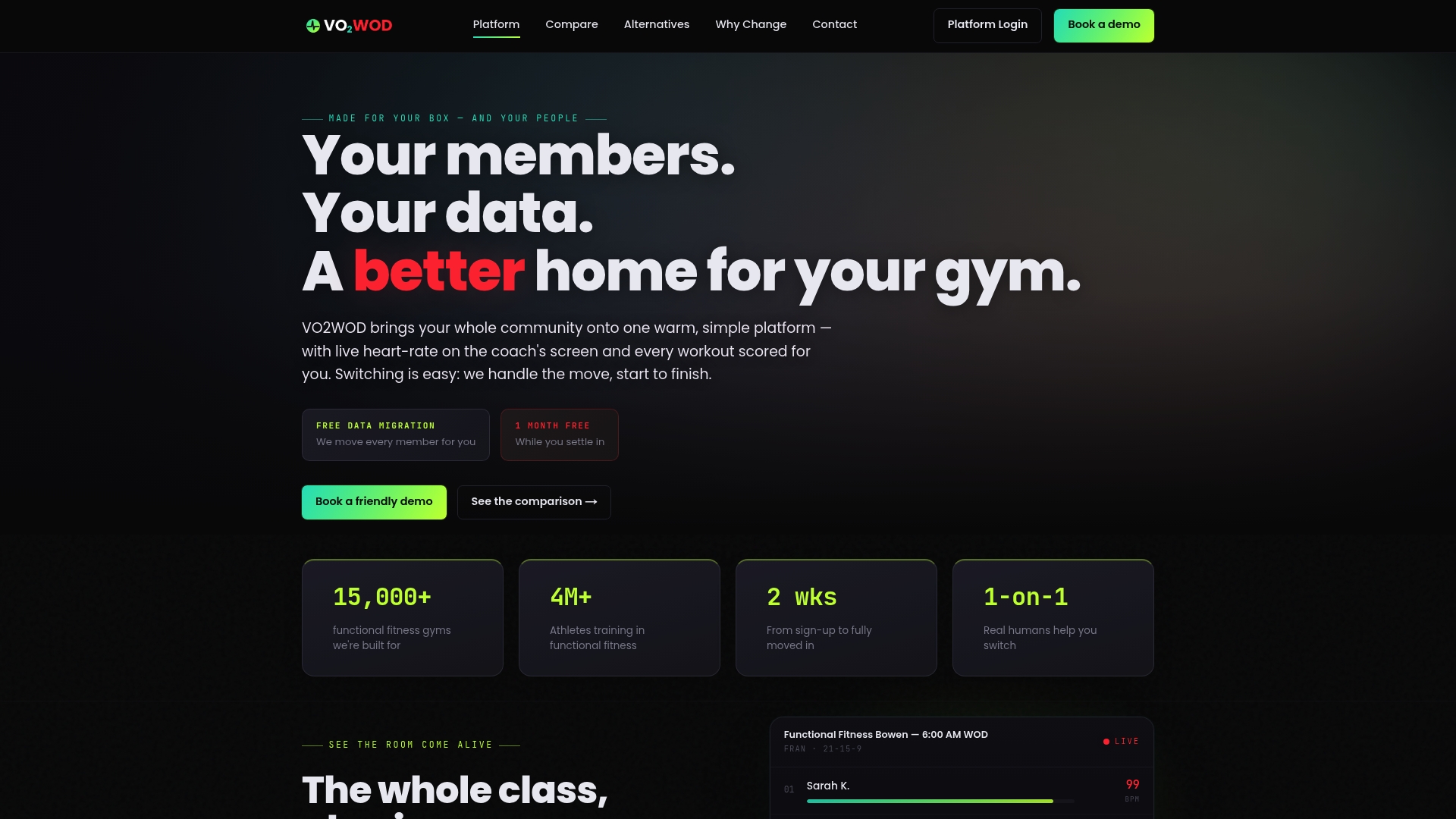
That matters most in the exact spot this article has been circling: recovering failed charges before they become involuntary churn. Some platforms pair automatic workout scoring and heart rate tracking with gym management billing, so member engagement and payment health live in the same view coaches already check. These platforms often include free data migration and a complimentary service period, which means you can move existing membership and billing records over without losing history or risking a full month's revenue on a rocky switch.
If you're currently running a patchwork of invoicing tools and manual follow-up, compare what an integrated setup looks like on the VO2WOD product page, or see how it stacks up against other platforms on the alternatives comparison page before you decide.
Sources
- Federal Trade Commission announces final click-to-cancel rule, making it easier for consumers to end recurring subscriptions
- The importance of compliant ACH authorizations
- How do automatic payments from a bank account work?
- What kind of records should I keep?
- Automated billing for gyms 101: A guide for businesses
FAQ
Is Bill Pay the Same as Autopay?
No. Bill pay is a service run by the member's own bank that pushes a payment out on a schedule the member sets, while autopay is a standing authorization the member gives directly to your gym to pull charges. The CFPB explains this distinction in detail, and it matters because canceling bank bill-pay stops the bank from sending money, while canceling autopay requires revoking authorization with the merchant directly.
What Is the Hardest Subscription to Cancel?
Subscriptions that require an in-person visit, a phone call to a specific representative, or a mailed cancellation letter are consistently the hardest to cancel, and gym memberships have historically topped that list. The FTC's click-to-cancel rule directly targets this pattern, requiring that cancellation be as easy as signup, which is pushing gyms and similar businesses toward simpler online cancellation flows.
What Are the Downsides of Using Bill Pay for Gym Membership?
Bill pay through a bank isn't designed for variable recurring charges, so if your gym adjusts membership pricing or adds fees, the member's bank-scheduled payment may not match the actual amount owed. It also puts the payment timing in the member's bank's hands rather than a direct billing relationship, which can create mismatches and delayed payments compared to gym-managed autopay.
Is $70 a Month a Lot for a Gym Membership?
Pricing varies widely by gym type, market, and included services, so there's no single answer. What matters more for retention than the price point itself is whether the billing experience is smooth. A member paying $70 a month who never has a failed-charge headache is far less likely to cancel than one paying less but getting hit with declined-card notices and confusing invoices.
How Does Autopay Work for a Gym Membership?
A member provides card or bank account details once, and the payment authorization gets tokenized and stored securely with your payment processor rather than on your gym's own systems. Charges then run automatically on your chosen billing cadence, with retry logic and notifications handling most failed payments without staff intervention, an approach Stripe outlines in detail for gym-specific billing.