

Request a full, versioned export in a machine-readable format (CSV or JSON plus a manifest), confirm a secure delivery endpoint, and verify everything with checksums and a staged restore before you cancel anything. Do these three things before you sign a cancellation notice or a new vendor contract. Skip any one of them and you risk losing months of attendance history, billing continuity, or signed waivers you may need later.
TL;DR:
- Gyms should request a full, staged export including member profiles, attendance, waivers, workout history, and billing data with a manifest that verifies completeness and data integrity.
- Delivery methods must ensure encrypted transfer via SFTP, cloud storage, or API with endpoints under control, avoiding insecure emailed Zip files.
- Vendors must provide files with specific names, structured formats, and support direct transfer under legal data rights; raw card data should never be included.
- Conduct sample exports, staged restores, and checksum verification before canceling contracts to prevent losing years of attendance and billing records.
- Negotiate clear export service level agreements, post-termination API access, and escrow deposits to safeguard data during and after migration.
Table of Contents
- What Data Portability Actually Means for Gym Software
- What to Request From Your Vendor: The Canonical Dataset
- API, CSV, JSON, or Webhook: Choosing the Right Delivery Method
- Legal Rules That Shape What You Can Demand
- The Migration Checklist and Timeline
- Contract Clauses to Negotiate Before You Sign
- Verifying the Migration Actually Worked
- Why Portability Deserves the Same Attention as Your Lease
- Making the Switch to Vo2wod Without Losing a Single Record
- Sources
- FAQ
What Data Portability Actually Means for Gym Software
Data portability means your gym can pull its own records out of one system and load them into another without a vendor's cooperation being the bottleneck. The legal version of this idea comes from Article 20 of the GDPR, which gives people the right to receive data they provided in a "structured, commonly used and machine-readable format" and, where feasible, to have it transmitted directly to another provider. Most US gym software doesn't fall under GDPR, but the standard it set (real files, real structure, no hoops) is now the baseline every reasonable vendor gets measured against.
Not everything in your account counts as portable data, and knowing the boundary saves you a fight with your vendor later.
In scope, generally:
- Member profiles, contact details, and membership tier history
- Attendance logs, class bookings, and check in timestamps
- Workout history, personal records, and movement library entries
- Signed waivers and liability forms
- Device and wearable metadata (heart rate summaries, connected device IDs)
- Billing history and subscription records
Usually out of scope or restricted:
- Raw credit card numbers, which live with your payment processor under PCI DSS rules, not your gym software
- Internal vendor analytics or aggregated benchmarking data the platform built from many gyms' data
A basic "contact export" (names, emails, phone numbers) is not the same as an operational export. The second one is what actually lets you run your business on day one at a new platform, and it's the one worth fighting for.
What to Request From Your Vendor: The Canonical Dataset
Ask for these files by name, not by category. Vendors that document exports clearly, the way TrueCoach's own export guide does for client and workout data, make this step painless. Vendors that hedge on specifics are telling you something.
- members.csv or members.json with name, contact info, membership tier, join date, and status
- subscriptions.json covering plan history, price changes, pause and cancellation dates
- payments ledger with tokenized transaction records, not raw card numbers
- attendance.csv with class name, timestamp, and check in method for every visit
- waivers/ folder with signed, dated liability forms
- workout_history.json with scores, personal records, and session dates
- device_metadata.json for wearable connections and heart rate summaries
- audit_logs.csv tracking account changes and staff actions
- custom_fields.json for any tags or fields specific to your gym
- manifest.json describing every file above
That last file is the one most owners forget to ask for, and it's the one that matters most. A proper manifest lists the schema version, a generation timestamp, per file checksums, and record counts for every export, following the approach MemberSimple recommends for gyms that want to avoid being held hostage by their own data. Without it, you have no way to prove an export is complete.
Pro Tip: Never expect raw card numbers in any export, and don't ask for them. Request the payment processor's tokens or subscription IDs instead, since that's what your new platform will actually need to relink recurring billing.
API, CSV, JSON, or Webhook: Choosing the Right Delivery Method
The delivery method you accept determines how much manual cleanup your staff does after the fact.
An API with webhook support is the strongest option for ongoing operations. It lets you pull delta exports (only what changed) instead of re-downloading everything, and it automates the sync work that would otherwise eat staff hours every week. For a one-time migration, a full dump matters more than automation, but for any transition period where two systems run in parallel, API access is what keeps them in sync without someone manually reconciling spreadsheets.
File format matters too. JSON preserves nested structure and metadata (custom fields, device readings, workout sets) far better than flat CSV files, which the ICO's own guidance on portability names alongside XML as acceptable, commonly used formats. CSV is broadly compatible and easy to inspect, but it flattens relationships between records, which is a real problem for something like a workout with multiple movements and rep schemes.
On delivery, insist on one of these:
- SFTP to an endpoint your gym owns and controls
- Pre-signed cloud storage pushes (S3 or equivalent) with time-limited access
- Mutual TLS over HTTPS for API-based transfers
Any of these should come encrypted in transit, with keys managed on your side or under a documented key management policy, not just "trust us." A vendor that can only offer an emailed zip file is not equipped for a modern gym's data needs, no matter how good their scheduling app looks.
Legal Rules That Shape What You Can Demand
US privacy law is patchier than Europe's, but it's not silent. Under California's CCPA and CPRA, businesses covered by the law must provide data access in an electronic, "readily useable" format when technically feasible. If your gym has members in California, that standard applies to what your software vendor owes them, and by extension what it owes you as the data controller for your business.
If any part of your membership base is in the EU, GDPR Article 20 requires your vendor to support structured, machine-readable exports, and ideally direct transfer between providers. That's a real operational requirement, not a nice-to-have footnote in the terms of service.
Payment data carries its own rules regardless of jurisdiction. PCI DSS restricts how card data can be stored and transferred, which is exactly why your export should rely on tokenization: your processor keeps the sensitive data, your export carries the token or subscription reference, and your new vendor re-links it during setup.
A few habits keep you compliant while you move:
- Sign a data processing agreement with any new vendor before data moves
- Redact or exclude fields you don't have a legitimate reason to transfer
- Confirm the transmission method is encrypted end to end, not just "secure" in marketing language
The Migration Checklist and Timeline
A migration that goes wrong usually goes wrong for a boring reason: nobody tested the export before canceling the old contract. A step-by-step migration checklist built around audit, testing, and verification steps cuts that risk down substantially. Here's a timeline you can run yourself or hand to an integrator.
Days 0 to 7: Pre-checks
- Review your current contract for export restrictions, notice periods, and any early termination fees
- Audit what your vendor can actually export (ask for their documentation, not just a sales rep's promise)
- Request a small sample export covering one week of data to check format and completeness before committing to anything
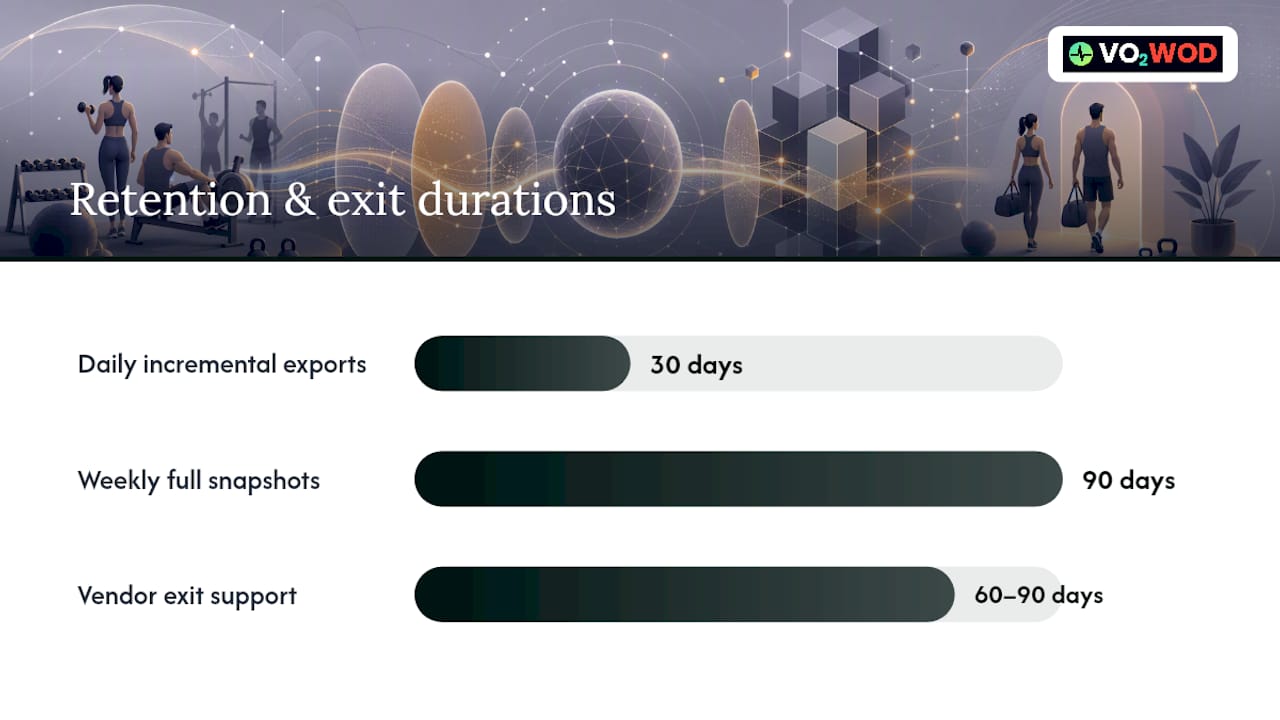
Ongoing: Export schedule 4. Set up daily incremental exports, retained for 30 days, so you never lose more than a day of changes 5. Run weekly full snapshots, retained for 90 days, as your baseline recovery point 6. Archive monthly full exports to cold storage, retained for at least 2 years, for historical and compliance purposes 7. Negotiate 60 to 90 days of exit support from your outgoing vendor, covering the cutover window
Cutover testing 8. Restore a full export into a sandbox environment before touching production data 9. Re-link payment tokens and test at least one full billing cycle in that sandbox before going live 10. Reconcile every active subscription against the new system's records, line by line, not by spot check
People 11. Tell members what's changing and when, ideally two to three weeks ahead, especially if they'll need to re-enter a payment method 12. Train front desk and coaching staff on the new system a week before go-live, not the morning of
Pro Tip: Payment token re-linking is the single most fragile step in any migration. Test a full billing cycle in a sandbox environment days in advance, not the night before your first live charge run, so you catch failures with time to fix them.
Vendor lock in isn't hypothetical here. There are documented cases of gym owners receiving only partial CSV exports and paying real staff hours to manually rebuild years of attendance and billing history after a vendor stalled on a full export. That's the exact scenario this timeline exists to prevent.
Contract Clauses to Negotiate Before You Sign
Get these terms in writing before you commit to any gym software, not after you're already six months in and trying to renegotiate leverage you don't have.
- Export SLA: the vendor delivers a complete, current export within a fixed window of a few business days upon written request
- Post-termination API access: API credentials remain active for a specified period after cancellation to facilitate orderly migration
- Escrow snapshot deposits: the vendor deposits periodic exports with a neutral third party, triggered on defined events such as company sale or breach
- Capped assistance fees: any fees for migration help or expedited export are fixed and reasonable, specified in the contract
A vendor that resists writing these terms down is usually the same vendor that will drag its feet when you actually need the export. Studios and gyms have run into exactly this wall with platforms that limit exports by design, a pattern StudioFlare has documented among dance and fitness studios weighing a switch away from restrictive systems. Ask specifically whether there's a hidden export fee or a gated API tier before you sign anything, not after.
Verifying the Migration Actually Worked
An export isn't done just because a file downloaded. It's done when you've proven the data inside it is complete and usable.
- Run a staged restore into a sandbox and manually check member profiles, billing cycles, payment token linkage, attendance history, and waivers against the old system
- Cross-reference every checksum in the manifest against the delivered files to confirm nothing got corrupted or dropped in transit
- Keep a mapping repository documenting how custom fields and unusual data structures translate between the old schema and the new one, since this is the part integrators most often get wrong
- Schedule quarterly restore rehearsals even after migration, since schema drift and mapping gaps tend to surface only when you actually try to use old backups again
Automating the checksum comparison with a simple script beats a manual spot check every time. It's the difference between finding a dropped field the week it happened versus finding it eight months later when a member disputes a charge.
Why Portability Deserves the Same Attention as Your Lease
Membership history and billing continuity are business assets, full stop. Treat your gym's data with the same seriousness you'd treat a five-year lease, because losing it has the same kind of consequence: you can't just rebuild years of attendance and payment history from memory.
The gyms that move software with the least pain are the ones that never treated export rights as an afterthought. Concierge style migration support, where a vendor's team handles the token relinking and sandbox testing instead of leaving it to an already stretched front desk, saves real operational hours during a transition that's already stressful enough. That kind of support matters more than gym size when it comes to how smoothly a cutover goes.
Make export rights, manifest access, and staged restore support a non-negotiable line item before you ever sign with a new platform. Everything else in the contract is easier to fix later than a data loss you only discover after the fact.
— Marcus
Making the Switch to Vo2wod Without Losing a Single Record
If you've read this far, you already know the real cost of switching gym software isn't the new subscription fee. It's the risk of losing attendance history, billing records, or waivers in the process. Some gym software vendors handle data migration and may offer trial periods to help your team get comfortable with the new system.
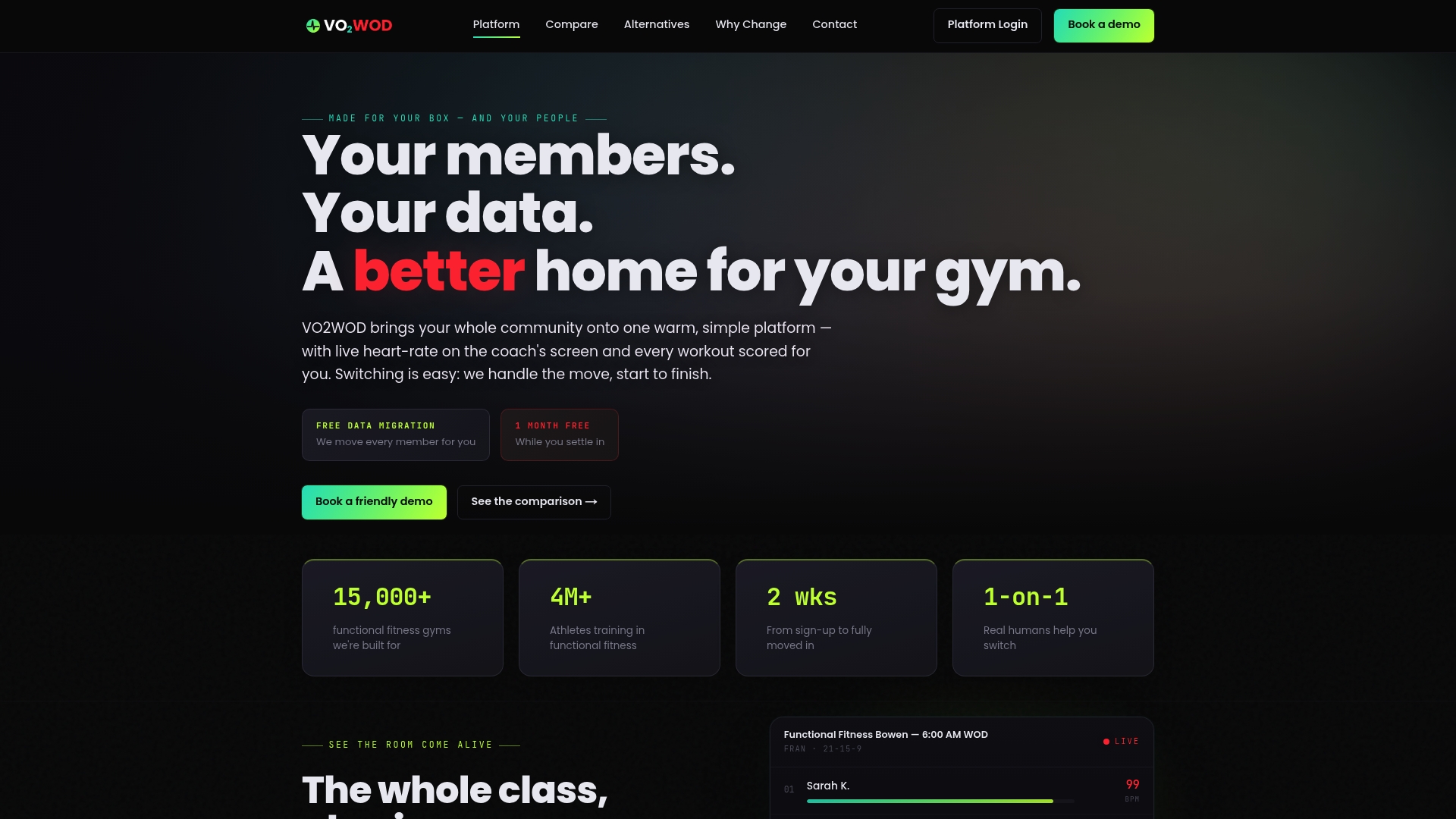
A dedicated support team can work through a portability checklist including documented manifest, checksum verification, staged restore testing, and payment token relinking to try to ensure nothing gets left behind in the move. Coaches and gym owners can access athlete biometrics and workout scoring features in the new system after migration.
If you're weighing your current platform against alternatives, VO2WOD's comparison page walks through how it stacks up against other functional fitness gym software. To see the migration process and lower cost structure in more detail, visit why gyms switch to VO2WOD. When you're ready to talk migration timelines, request a demo with VO2WOD and get a plan built around your gym's actual data.
Sources
- ARTICLE 29 DATA PROTECTION WORKING PARTY: Opinion on the right to data portability (WP242)
- ICO — Right to data portability
- MemberSimple — Member data portability: designing exports so you're never held hostage
- Gym software migration checklist — step-by-step guide
FAQ
What File Formats Should a Gym Software Export Use?
CSV, JSON, and XML are all acceptable, structured formats, and JSON is the strongest choice when your data includes nested records like workout sets or device metadata. The ICO names all three as reasonable options when no single industry standard exists.
Can a Gym Software Vendor Legally Withhold My Data?
A vendor can enforce contract terms around notice periods or fees, but it generally cannot refuse to provide your operational data in a usable format once you request it, especially under GDPR Article 20 where it applies or CCPA/CPRA for California based members. The safest move is negotiating export rights into your contract before you sign, not after you try to leave.
How Long Should a Full Export Take to Deliver?
A reasonable export SLA asks for delivery within 5 business days of a written request, which gives the vendor time to assemble a complete file set without stalling your migration. If your current contract has no SLA language at all, that's a gap worth fixing before you need to use it.
Does VO2WOD Help With Data Migration From Another Platform?
Yes. VO2WOD provides free data migration along with one month of complimentary service and dedicated support to help gyms move their member, billing, and performance data without losing history in the transition.
What's the Biggest Mistake Gyms Make During a Software Switch?
Canceling the old contract before verifying the new export through a staged restore test. Running a sandbox restore and reconciling billing cycles before go live catches missing records while there's still time to fix them.